
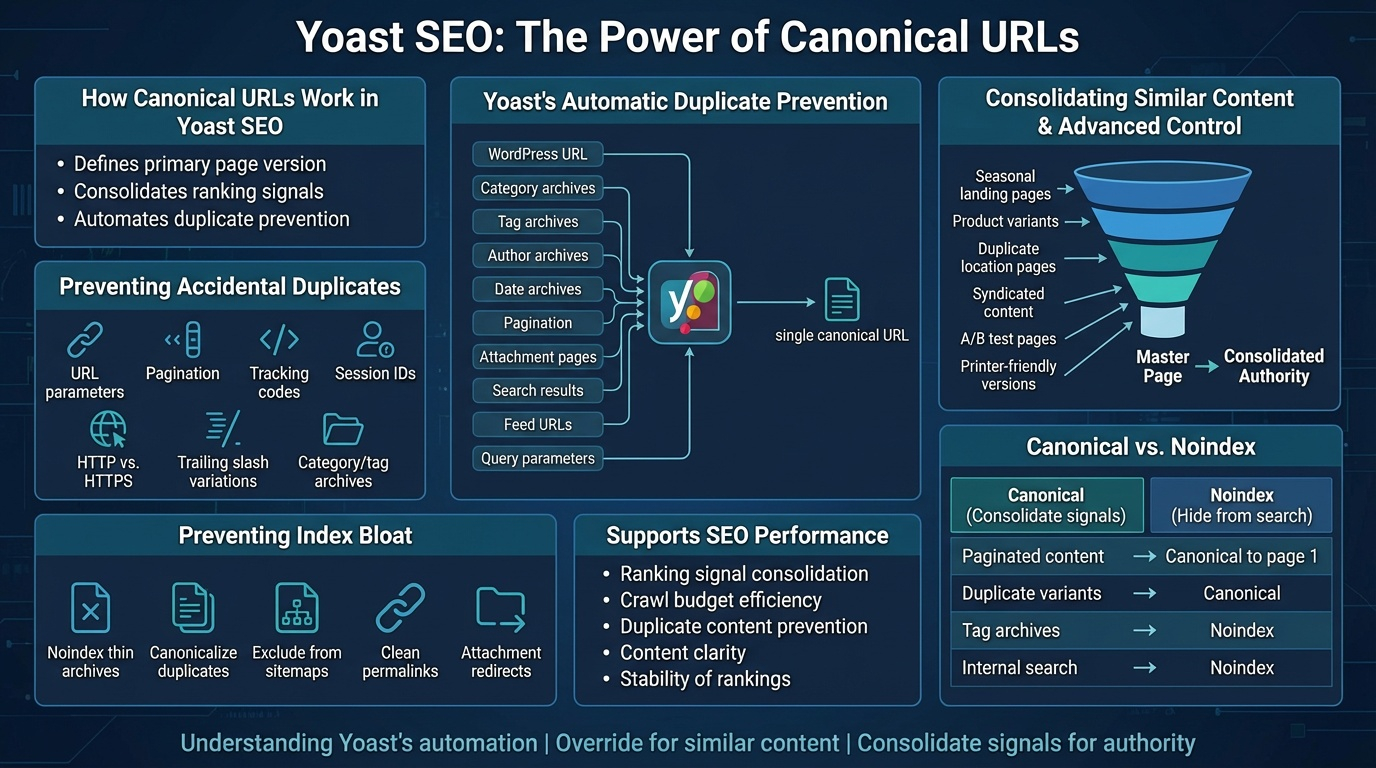
Canonical URLs are one of Yoast SEO’s most important technical features because they tell search engines which version of a page is the primary one. Without proper canonicalization, Google may index duplicates, split ranking signals, or misunderstand your site structure. Yoast automates most canonical logic, but understanding how it works—and when to override it—is essential for maintaining a clean, authoritative index.
How Canonical URLs Work in Yoast SEO
A canonical URL is a signal that tells search engines: “This is the main version of this page. Consolidate ranking signals here.”
Yoast automatically inserts a canonical tag into every page, pointing to its own permalink. This prevents accidental duplicates caused by:
- URL parameters
- Pagination
- Tracking codes
- Session IDs
- HTTP vs. HTTPS
- Trailing slash variations
- Category or tag archives showing similar content
By default, Yoast’s canonical system keeps your index clean without requiring manual configuration.
When Duplicate Content Happens in WordPress
WordPress naturally generates multiple URLs for the same content. Common sources include:
- Category archives
- Tag archives
- Author archives
- Date archives
- Pagination (e.g., /page/2/)
- Attachment pages
- Search results pages
- Feed URLs
- Query parameters (?utm=, ?replytocom=, etc.)
Yoast prevents most of these from being indexed by combining canonical tags with noindex rules and sitemap exclusions.
Using Canonicals to Consolidate Similar Content
Sometimes you intentionally create pages with overlapping topics. In these cases, you can override Yoast’s default canonical to point multiple URLs to a single “master” page. This is useful for:
- Seasonal landing pages that repeat yearly
- Product variants with similar descriptions
- Duplicate location pages
- Syndicated or republished content
- A/B test pages
- Printer‑friendly versions of articles
Setting a canonical ensures Google consolidates authority instead of treating them as competing pages.
Canonical vs. Noindex: When to Use Each
Both tools control indexing, but they serve different purposes.
- Canonical — Use when pages are similar and should consolidate ranking signals.
- Noindex — Use when a page should not appear in search results at all.
Examples:
- Tag archives → noindex
- Duplicate product variants → canonical
- Internal search results → noindex
- Paginated content → canonical to page 1
- Syndicated content → canonical to original source
Yoast allows you to set noindex rules globally for archives and taxonomies, keeping your index lean.
Preventing Index Bloat with Yoast
Index bloat happens when Google indexes too many low‑value URLs. Yoast prevents this by:
- Noindexing thin archives
- Canonicalizing duplicates
- Excluding noindexed pages from sitemaps
- Providing clean permalink structures
- Ensuring attachment pages redirect to parent content
A clean index improves crawl efficiency and strengthens your site’s overall authority.
How Canonicals Support SEO Performance
Strong canonical logic improves:
- Ranking signal consolidation
- Crawl budget efficiency
- Duplicate content prevention
- Content clarity for search engines
- Stability of long‑term rankings
When Google sees a clean, intentional structure, it trusts your site more and indexes it more efficiently.