
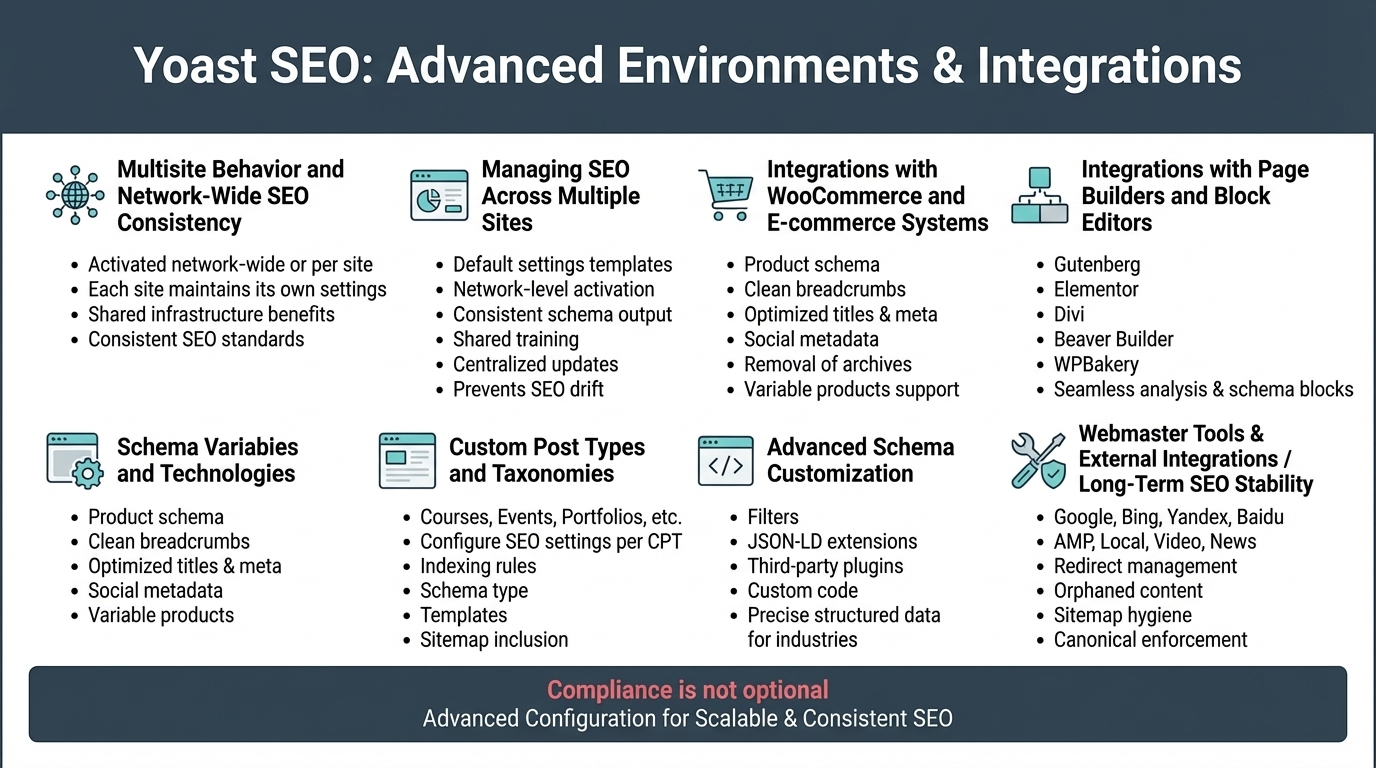
Yoast SEO becomes even more powerful when used in complex environments such as WordPress multisite networks, WooCommerce stores, membership platforms, LMS systems, and sites with custom post types. This final pillar brings together the advanced configuration options that allow Yoast to scale across ecosystems, maintain consistency, and integrate with other plugins that shape your site’s SEO footprint.
Multisite Behavior and Network‑Wide SEO Consistency
In a WordPress multisite network, Yoast SEO can be activated network‑wide or per site. Each site maintains its own:
- Search appearance settings
- Schema configuration
- Social metadata
- Indexing rules
- Sitemaps
- Redirects (Premium)
This separation ensures each site can have its own SEO identity while still benefiting from shared infrastructure. For large networks—universities, franchises, media groups—Yoast helps maintain consistent SEO standards without forcing identical configurations.
Managing SEO Across Multiple Sites
Yoast supports multisite workflows by enabling:
- Default settings templates
- Network‑level plugin activation
- Consistent schema output across subsites
- Shared SEO training and editorial guidelines
- Centralized plugin updates
This prevents SEO drift, where different subsites slowly diverge in quality or structure.
Integrations with WooCommerce and E‑commerce Systems
Yoast SEO integrates deeply with WooCommerce to enhance product visibility. The integration adds:
- Product schema (price, availability, brand, SKU)
- Clean product breadcrumbs
- Optimized product titles and meta descriptions
- Social metadata for product sharing
- Removal of unnecessary product archives
- Support for variable products
This improves organic performance for e‑commerce stores and ensures product pages are eligible for rich results.
Integrations with Page Builders and Block Editors
Yoast works seamlessly with:
- Gutenberg (native blocks)
- Elementor
- Divi
- Beaver Builder
- WPBakery
The plugin detects content inside these builders and analyzes it for SEO and readability. Yoast’s schema blocks (FAQ, How‑To, Breadcrumbs) remain fully functional regardless of the builder used.
Custom Post Types and Taxonomies
Advanced WordPress sites often rely on custom post types (CPTs) such as:
- Courses
- Events
- Portfolios
- Products
- Testimonials
- Locations
Yoast allows you to configure SEO settings for each CPT:
- Indexing rules
- Schema type
- Title and meta templates
- Sitemap inclusion
- Social metadata
This ensures every content type is optimized according to its purpose.
Advanced Schema Customization
For sites with specialized needs, Yoast allows schema customization through:
- Filters
- JSON‑LD extensions
- Third‑party schema plugins
- Custom code in theme functions
This is essential for industries like healthcare, finance, education, and local businesses that require precise structured data.
Webmaster Tools and External Integrations
Yoast supports verification for:
- Google Search Console
- Bing Webmaster Tools
- Yandex
- Baidu
It also integrates with:
- AMP plugins
- Local SEO extensions
- Video SEO extensions
- News SEO extensions
These integrations expand Yoast’s capabilities into specialized SEO areas.
Maintaining Long‑Term SEO Stability in Advanced Environments
Advanced setups require ongoing maintenance. Yoast supports this through:
- Redirect management (Premium)
- Orphaned content detection
- Cornerstone prioritization
- Sitemap hygiene
- Canonical enforcement
- Social metadata consistency
- Schema graph validation
Together, these tools keep your SEO ecosystem stable as your site grows.