
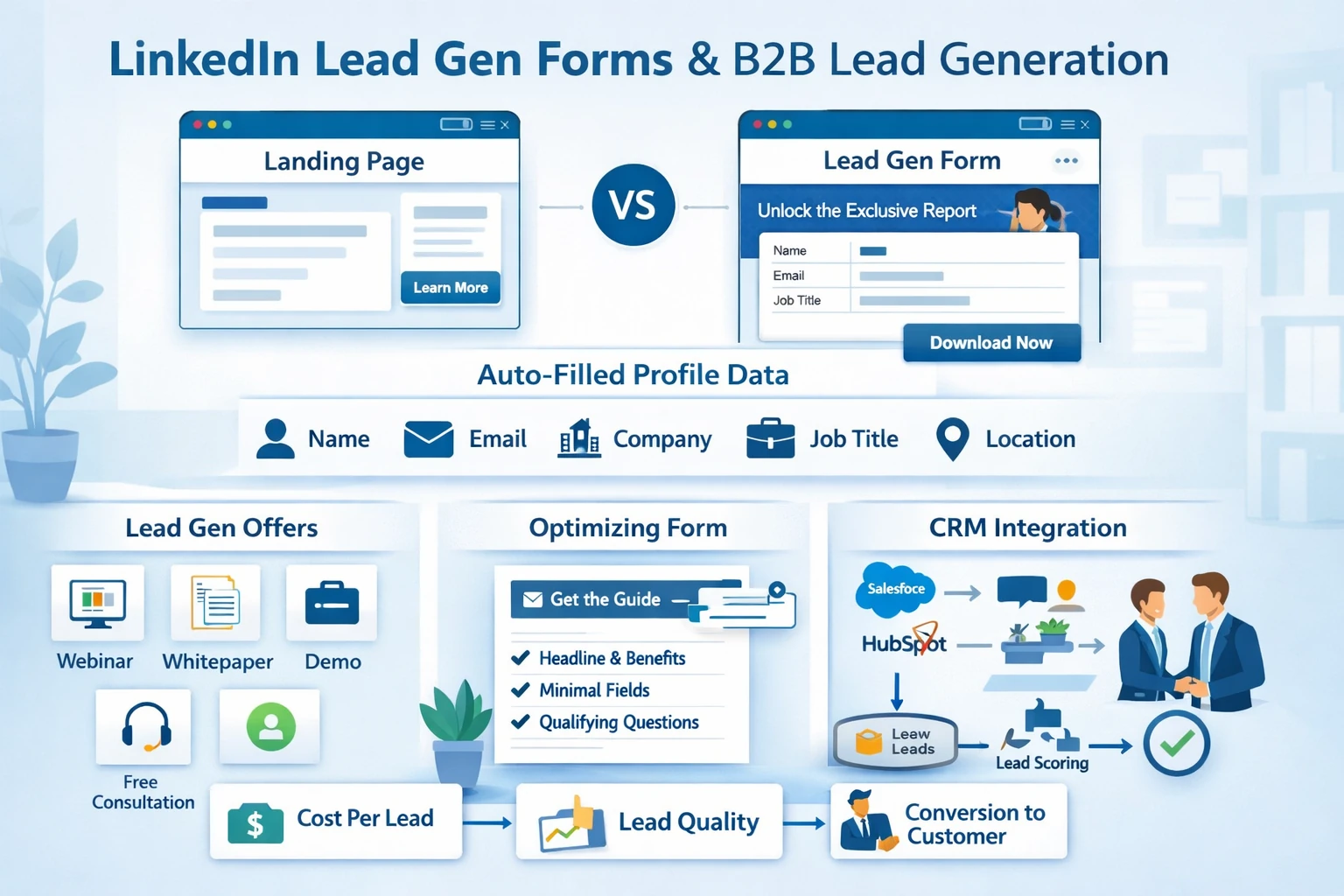
LinkedIn is one of the strongest B2B lead‑generation platforms because it uses verified professional identity data. Lead Gen Forms, in particular, consistently outperform landing‑page conversions due to auto‑filled profile information and reduced friction. This pillar explains how to structure lead‑gen campaigns, when to use Lead Gen Forms, how to optimize them, and how to ensure lead quality remains high.
How LinkedIn Lead Generation Works
Lead generation on LinkedIn can happen in two ways:
- Sending users to an external landing page
- Using LinkedIn Lead Gen Forms, which auto‑populate with profile data
Lead Gen Forms typically produce higher conversion rates because users don’t need to type anything. They are ideal for webinars, whitepapers, demos, consultations, and event registrations. Landing pages, however, offer more customization and are better for complex funnels or multi‑step qualification.
Why Lead Gen Forms Convert So Well
LinkedIn Lead Gen Forms pull data directly from a user’s profile, including:
- Name
- Company
- Job title
- Seniority
- Industry
- Location
This eliminates friction and reduces drop‑off. It also ensures data accuracy, which is critical for B2B sales teams. Because LinkedIn users keep their profiles updated for professional reasons, the data quality is significantly higher than typical form fills.
Structuring High‑Performing Lead Gen Forms
Strong forms balance conversion rate with qualification. Key elements include:
- A clear, benefit‑driven headline
- A concise description of the offer
- Minimal required fields
- Optional custom questions for qualification
- A strong CTA such as “Get the Guide” or “Book My Demo”
Avoid adding too many custom questions unless you need strict qualification. Every additional field reduces conversion rate.
Choosing the Right Offer
Lead Gen Forms work best when paired with high‑value content or intent‑driven offers. Examples include:
- Industry reports
- Benchmark studies
- Case studies
- Webinars
- Product demos
- Free consultations
- ROI calculators
Top‑of‑funnel offers (reports, guides) generate volume. Bottom‑funnel offers (demos, consultations) generate sales‑ready leads.
Lead Routing & CRM Integration
Leads from Lead Gen Forms can sync automatically into CRMs such as HubSpot, Salesforce, or Zoho. This enables:
- Instant lead assignment
- Automated follow‑up sequences
- Lifecycle stage updates
- Lead scoring
- Sales alerts
Fast follow‑up dramatically increases conversion rates. Delays of even a few hours can reduce demo bookings.
Optimizing Lead Quality
High conversion rates don’t always mean high‑quality leads. Improve quality by:
- Adding 1–2 qualification questions
- Targeting by seniority and job function
- Excluding students, interns, or irrelevant industries
- Using retargeting audiences
- Running separate campaigns for TOF vs. BOF offers
Lead quality is a function of both targeting and offer relevance.
Measuring Lead‑Gen Performance
Key metrics include:
- Cost per lead (CPL)
- Lead form completion rate
- Lead quality (CRM feedback)
- Sales acceptance rate
- Conversion to opportunity
- Conversion to customer
LinkedIn also provides demographic breakdowns of leads, helping you refine targeting.
Scaling Lead Generation
Scale gradually by:
- Expanding targeting from Job Title → Job Function → Skills
- Adding lookalike audiences
- Testing new offers
- Increasing budget on high‑performing segments
- Refreshing creative every 4–6 weeks
Scaling works best when you maintain strict quality controls.