
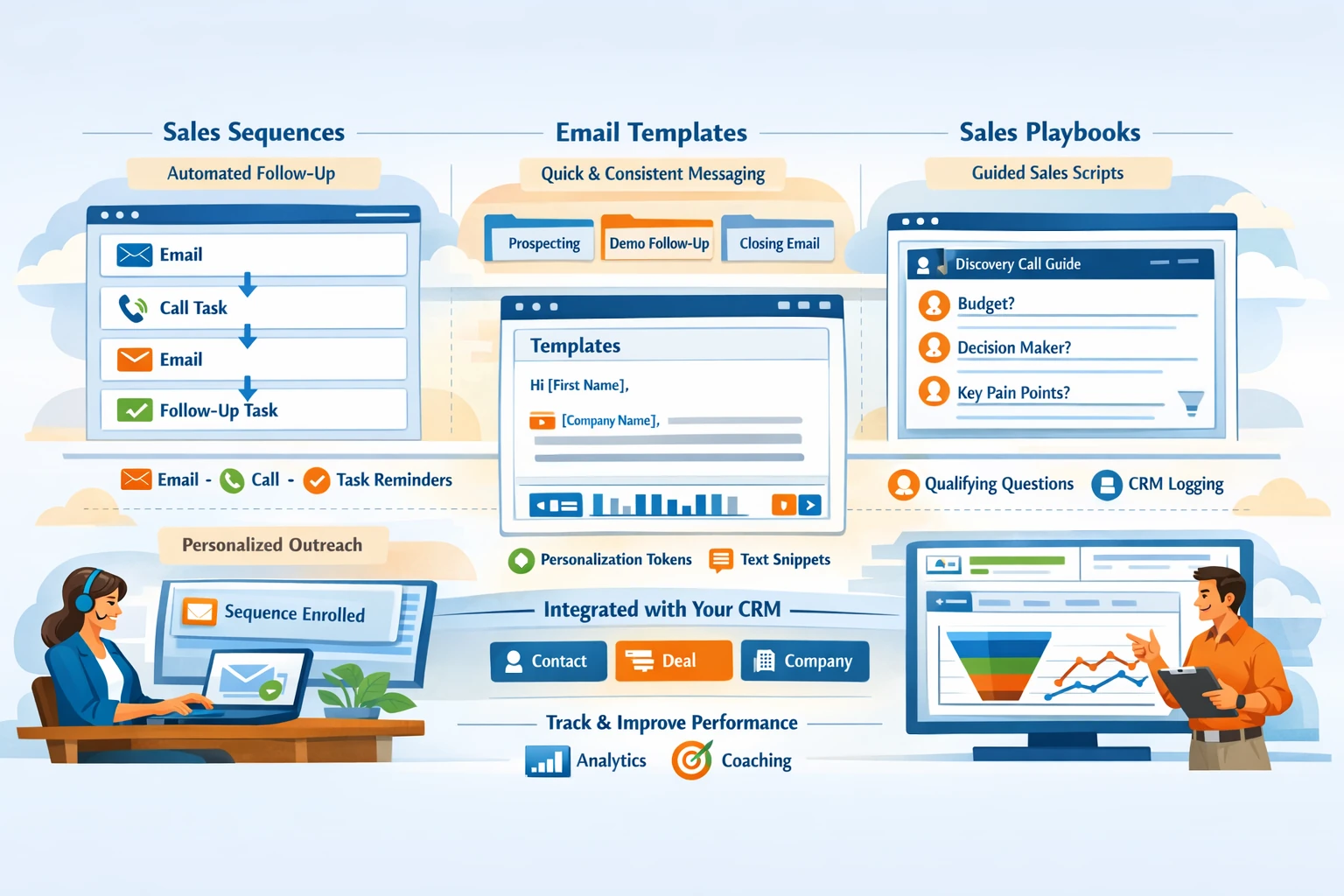
HubSpot’s sales tools—Sequences, Templates, and Playbooks—create a structured, repeatable, and scalable sales process. They help reps follow consistent outreach patterns, reduce manual work, and ensure every lead receives timely, high‑quality communication. Because these tools integrate directly with CRM data, they personalize outreach while maintaining efficiency. This pillar explains how to build sequences, create templates, use playbooks, and align them with your sales pipeline.
Sequences for Automated Sales Outreach
Sequences automate 1:1 sales follow‑up through a series of emails and tasks. Unlike marketing workflows, sequences are designed for personal outreach and require a connected inbox. A sequence typically includes automated emails, manual email reminders, call tasks, and follow‑up tasks spaced over several days. Reps enroll contacts directly from the CRM, ensuring timely follow‑up after demos, pricing requests, or lead qualification. Sequences stop automatically when a contact replies or books a meeting, preventing over‑communication.
Structuring Effective Sequences
A strong sequence balances automation with personalization. The first email should be personalized and value‑driven, referencing the contact’s context or pain point. Follow‑up steps should mix email and call tasks to increase engagement. Delays between steps should feel natural, often 2–3 days apart. Use personalization tokens for names, companies, or recent activity. Keep emails short and focused on a single call‑to‑action. Test different subject lines and step timing to improve performance.
Templates for Faster, Consistent Communication
Templates save time and ensure consistent messaging across your sales team. They can be used for outreach, follow‑ups, meeting confirmations, or objection handling. Templates support personalization tokens and can be inserted into emails with one click. Organize templates into folders by use case—prospecting, qualification, demo follow‑up, or closing. Templates also track performance metrics such as open and click rates, helping you refine messaging over time.
Personalizing Templates at Scale
Templates should serve as a starting point, not a final message. Reps should add context about the contact’s industry, recent activity, or specific challenges. Personalization increases response rates and builds trust. Use snippets—short, reusable text blocks—to insert common phrases, product descriptions, or answers to FAQs. Snippets help reps personalize quickly without rewriting content.
Playbooks for Guided Sales Conversations
Playbooks provide structured guidance during calls, meetings, or qualification processes. They appear directly inside contact, company, or deal records. Playbooks can include questions, checklists, scripts, and branching logic. For example, a qualification playbook might include BANT or MEDDIC questions. Reps can log answers directly into CRM properties while using the playbook, ensuring consistent data capture. Playbooks help new reps ramp faster and ensure everyone follows the same process.
Using Playbooks for Coaching and Consistency
Managers can use playbooks to enforce best practices and improve coaching. For example, a discovery call playbook ensures reps ask the right questions and capture key insights. A pricing objection playbook helps reps respond confidently and consistently. Playbooks also reduce variability in data quality by standardizing how information is collected.
Integrating Sales Tools with the CRM
Sequences, templates, and playbooks work best when aligned with your pipeline. Use sequences for early‑stage outreach, templates for ongoing communication, and playbooks for qualification and closing. Track performance through sequence analytics, template engagement metrics, and call notes logged through playbooks. Use insights to refine messaging, improve timing, and optimize your sales process.
Maintaining a High‑Quality Sales Toolkit
Review sequences, templates, and playbooks quarterly. Retire outdated messaging, update scripts, and refine steps based on performance. Keep your library organized so reps can find the right tools quickly. Consistent maintenance ensures your sales toolkit stays effective as your product, market, and team evolve.