
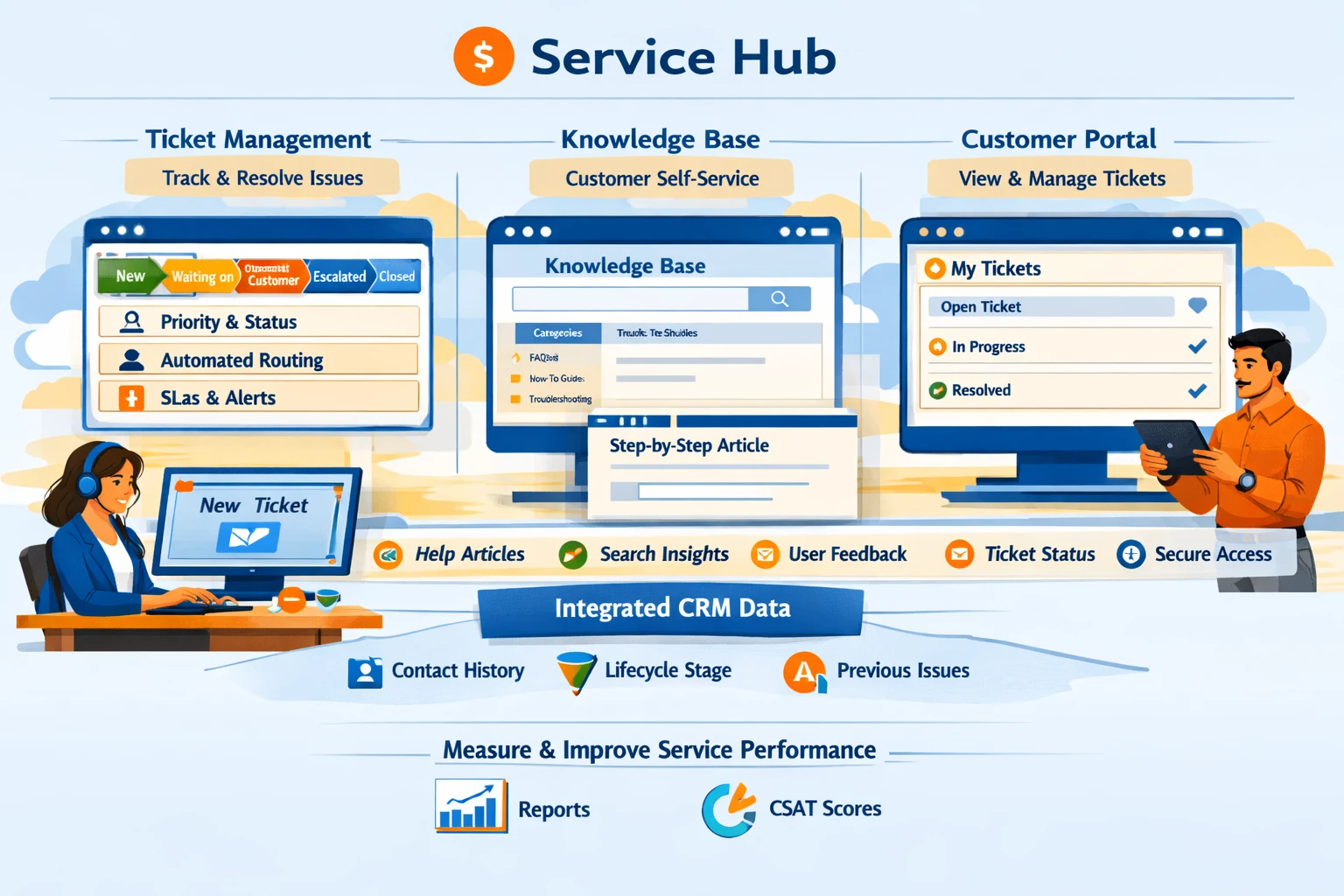
HubSpot’s Service Hub brings support, success, and customer experience into the same ecosystem as your marketing and sales data. Tickets, the Knowledge Base, and the Customer Portal work together to streamline support operations, reduce resolution time, and give customers a self‑service experience. Because everything connects to the CRM, your service team gains full context for every interaction. This pillar explains how to set up tickets, build a knowledge base, use automation, and deliver a modern support experience.
Tickets as the Core of Customer Support
Tickets represent customer issues, requests, or tasks that need resolution. They function like deals in the sales pipeline but for service workflows. Each ticket includes properties such as status, priority, category, and owner. Tickets can be created manually, through forms, via email, or automatically through workflows. A clean ticketing system ensures no customer request is lost and gives your team visibility into workload and performance.
Designing Ticket Pipelines
Ticket pipelines define the stages of your support process. Common stages include New, In Progress, Waiting on Customer, Escalated, and Closed. Each stage should reflect a real step in your resolution workflow. If you support multiple teams—technical support, billing, onboarding—create separate pipelines to keep processes organized. Assign SLAs to stages to enforce response and resolution times. Clear pipelines help managers track bottlenecks and improve efficiency.
Automating Ticket Routing and Notifications
Automation ensures tickets reach the right team quickly. Workflows can assign tickets based on category, priority, or customer type. For example, billing issues can route to the finance team, while technical issues go to support. You can also automate internal notifications, escalation alerts, and SLA reminders. Automation reduces manual triage and ensures consistent service quality.
Using the Knowledge Base for Self‑Service
The Knowledge Base allows you to publish articles that help customers solve problems without contacting support. Articles can include step‑by‑step guides, FAQs, troubleshooting steps, and product documentation. Organize articles into categories and subcategories so users can find answers easily. Use clear titles, screenshots, and simple language. A strong knowledge base reduces ticket volume and improves customer satisfaction by providing instant answers.
Optimizing Knowledge Base Articles
HubSpot provides analytics for article views, search terms, and helpfulness ratings. Use this data to identify gaps—if users search for terms with no results, create new articles. Update outdated content regularly and improve articles with low helpfulness scores. Add related articles to guide users through complex topics. A well‑maintained knowledge base becomes a long‑term asset that scales support without increasing headcount.
Customer Portal for Transparency and Control
The Customer Portal gives customers a secure place to view, track, and reply to their tickets. It improves transparency and reduces follow‑up emails. Customers can see ticket status, add comments, upload files, and communicate directly with support reps. The portal integrates with your branding, creating a seamless experience. For businesses with recurring support needs, the portal significantly improves customer satisfaction.
Integrating Service Tools with CRM Data
Because tickets, contacts, and companies all live in the CRM, your support team has full context—past purchases, lifecycle stage, previous issues, and communication history. This context helps reps personalize responses and resolve issues faster. You can also use CRM data to prioritize VIP customers or escalate issues automatically.
Reporting on Service Performance
Service dashboards track metrics such as ticket volume, response time, resolution time, backlog, and customer satisfaction. Use these insights to identify trends, staffing needs, and process improvements. Combine service data with sales and marketing data to understand the full customer journey.