
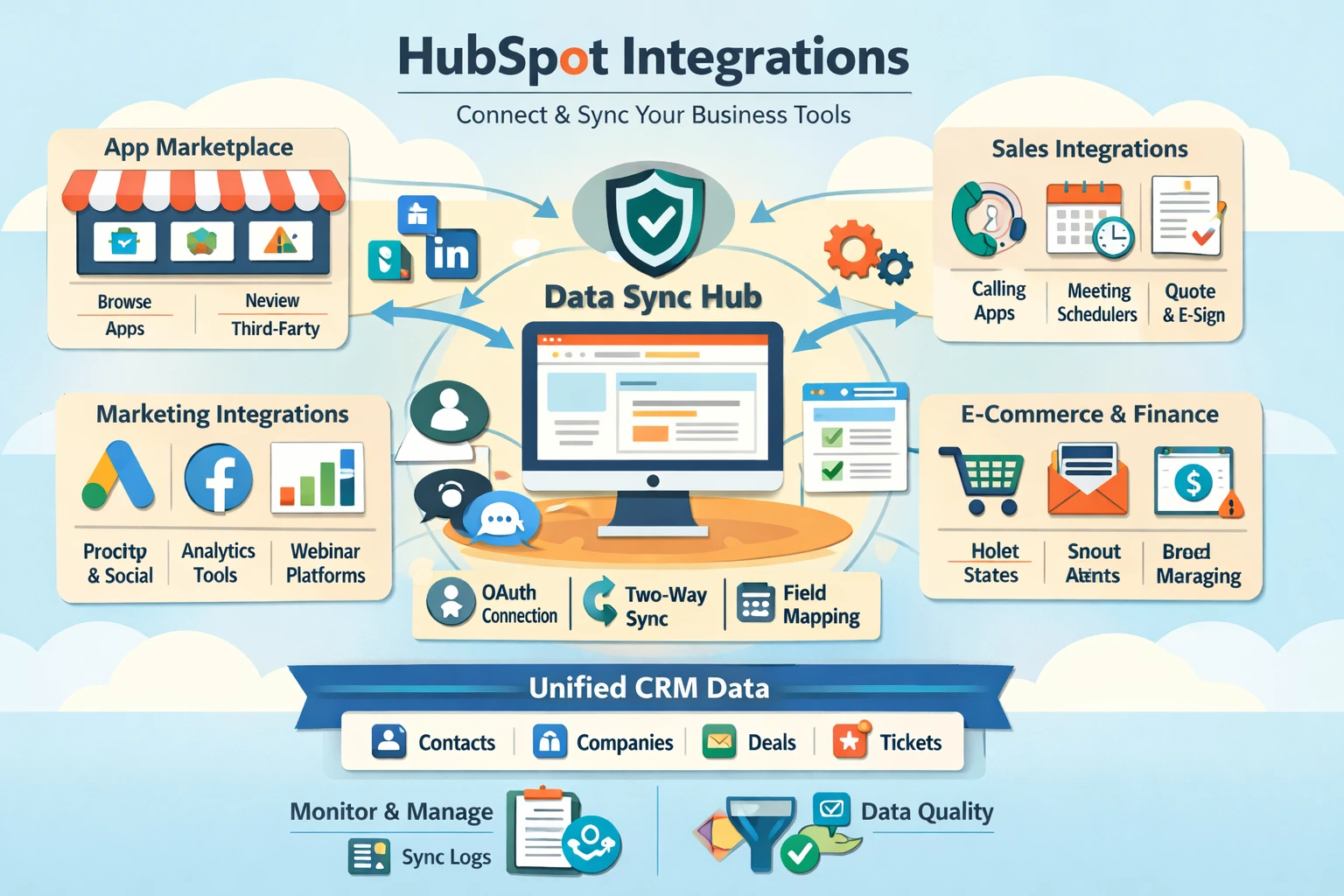
Integrations turn HubSpot from a standalone CRM into the central operating system of your business. The App Marketplace connects HubSpot with tools for marketing, sales, service, finance, analytics, and operations. When integrations sync cleanly, your CRM becomes a single source of truth—reducing manual work, improving data accuracy, and enabling automation across your entire stack. This pillar explains how to choose integrations, connect apps, manage data sync, and build a scalable ecosystem.
Understanding the HubSpot App Marketplace
The App Marketplace includes thousands of integrations across categories like email, ads, analytics, calling, e‑commerce, payments, scheduling, and customer support. Each app listing includes features, pricing, setup instructions, and data sync details. Some integrations are native (built by HubSpot), while others are third‑party. Native integrations typically offer deeper functionality and more reliable syncing. Before installing an app, review what data syncs, how often it syncs, and whether the sync is one‑way or two‑way.
Connecting Integrations to HubSpot
Most integrations connect through OAuth, allowing you to authenticate with one click. After connecting, configure sync settings—choose which objects (contacts, companies, deals, products) should sync and how conflicts are resolved. For example, if you connect HubSpot to Google Contacts or Outlook, you can choose whether HubSpot overwrites external data or vice versa. Always test sync behavior with a small dataset before enabling full sync to avoid accidental overwrites.
Essential Integrations for Marketing
Marketing teams typically connect tools like Google Ads, Facebook Ads, LinkedIn Ads, Google Analytics, and scheduling tools like Calendly. Ad integrations allow HubSpot to track conversions, sync audiences, and measure ROI. Email tools like Gmail or Outlook enable logging and tracking. Webinar tools like Zoom or GoToWebinar sync registrants and attendees directly into the CRM. These integrations enrich contact records with behavioral data that powers segmentation and automation.
Essential Integrations for Sales
Sales teams rely on calling tools, meeting schedulers, quoting systems, and proposal software. Integrations like Zoom, Aircall, and RingCentral log calls automatically. Tools like PandaDoc or DocuSign sync proposals and signatures into deals. Calendar integrations allow prospects to book meetings directly with reps. These integrations reduce manual data entry and give reps full visibility into engagement history.
Essential Integrations for Service
Service teams benefit from ticketing, chat, and support tools. Integrations like Slack, Jira, and Zendesk sync conversations and tickets into HubSpot. This ensures support teams have full context and prevents duplicate work. For product‑led companies, connecting tools like Intercom or Drift allows support conversations to sync into contact timelines, improving customer experience and reporting.
E‑commerce and Payments Integrations
Shopify, WooCommerce, Stripe, and QuickBooks are among the most popular integrations. E‑commerce integrations sync orders, customers, products, and revenue into HubSpot. This enables abandoned cart workflows, customer segmentation, and revenue reporting. Payment integrations allow you to track invoices, subscriptions, and transactions directly in the CRM.
Managing Data Sync and Quality
Data sync is the most important part of integrations. Use HubSpot’s Data Sync settings to control field mappings, sync direction, and conflict resolution. Avoid syncing unnecessary fields to keep your CRM clean. Review sync logs regularly to catch errors early. Use workflows to enrich or standardize data after sync—for example, updating lifecycle stages or tagging contacts based on source.
Building a Scalable Tech Stack
As your business grows, integrations should support—not complicate—your operations. Document your integration architecture, including what syncs where and why. Review integrations quarterly to remove unused apps and update configurations. A well‑designed stack reduces friction, improves reporting, and enables automation across your entire customer journey.