
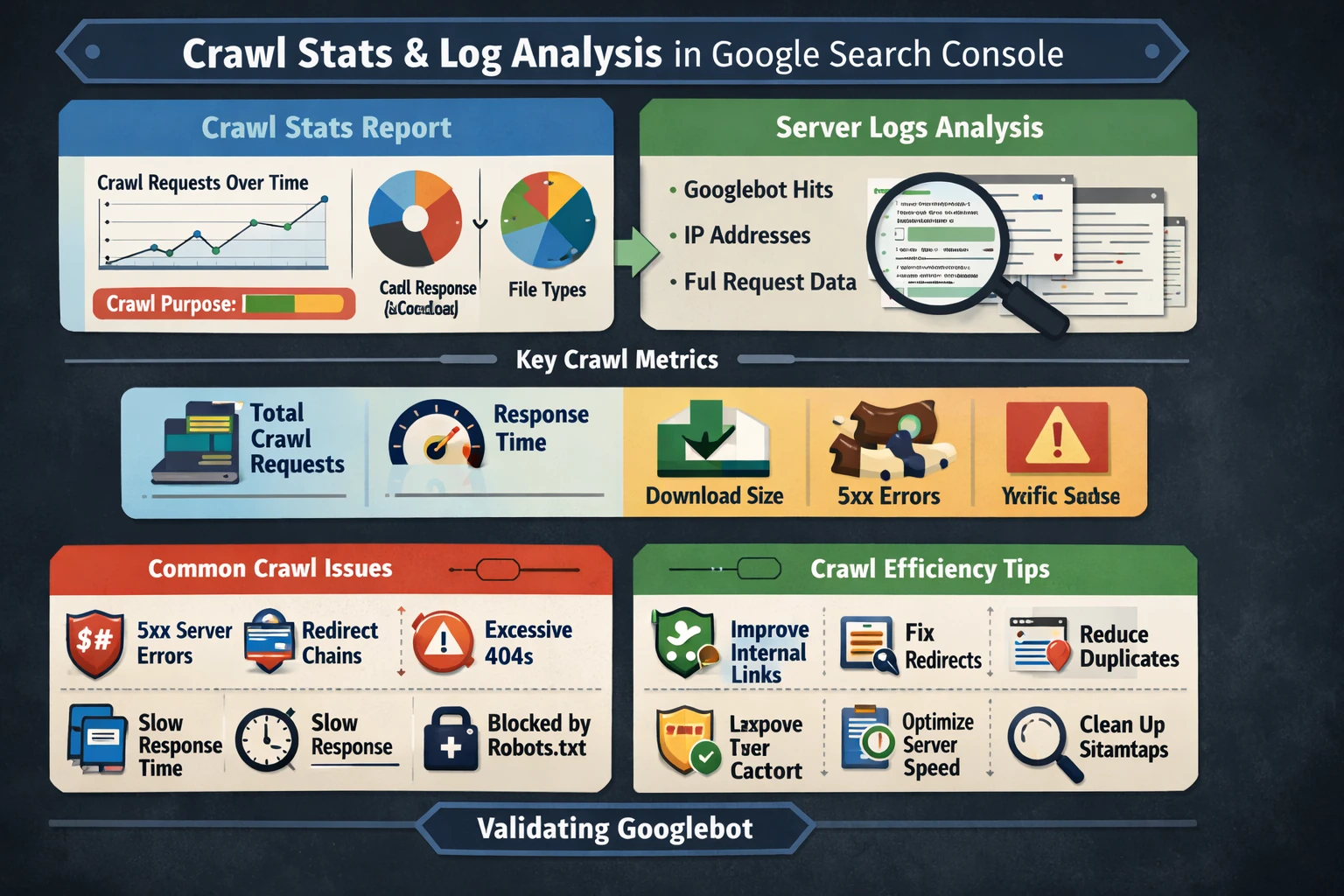
Google Search Console’s Crawl Stats report is the most direct window into how Googlebot interacts with your site. It reveals crawl frequency, crawl purpose, response codes, file types, and host status. When combined with server log analysis, it becomes a powerful diagnostic tool for understanding crawl budget, indexing delays, and technical bottlenecks. This pillar explains how to interpret Crawl Stats, how to use logs to validate Googlebot activity, and how to optimize your site for efficient crawling.
How the Crawl Stats Report Works
The Crawl Stats report shows detailed statistics about Google’s crawling history, including:
- Total crawl requests
- Crawl requests over time
- Response codes
- File types crawled
- Purpose of crawl (refresh vs. discovery)
- Host status and availability
Google states that this report helps detect serving problems and is intended for advanced users. It is only available for root‑level properties, such as domain properties or root URL‑prefix properties.
This makes Crawl Stats essential for diagnosing crawl budget issues, server instability, or unexpected crawl patterns.
Key Crawl Metrics & What They Mean
The report breaks crawling into several diagnostic categories:
- Total crawl requests — how often Googlebot hits your site.
- Average response time — server performance under crawl load.
- Download size — how heavy your pages and resources are.
- Crawl purpose — whether Googlebot is discovering new URLs or refreshing known ones.
- Response codes — 200s, 301s, 404s, 500s, and more.
High 5xx errors indicate server instability, while excessive 404s suggest broken internal links or outdated sitemaps.
Crawl Budget & Crawl Efficiency
Crawl budget is the number of URLs Googlebot is willing and able to crawl on your site. It is influenced by:
- Site size
- Internal linking
- Server performance
- Duplicate content
- Redirect chains
- Parameterized URLs
Google has become more selective about crawling in recent years, meaning low‑value or poorly linked pages may be crawled infrequently or not at all.
Crawl Stats helps identify which sections Google prioritizes and which it ignores.
Using Crawl Stats to Diagnose Issues
Crawl Stats can reveal:
- Sudden crawl drops → server downtime or robots.txt changes
- Crawl spikes → major updates, migrations, or Google testing
- High 5xx errors → hosting or backend failures
- High 301/302 counts → redirect loops or inefficient routing
- High 404 counts → broken links or outdated sitemaps
- Slow response times → performance bottlenecks affecting crawlability
These patterns often correlate with indexing issues in the Page Indexing report.
Server Log Analysis: The Missing Half of Crawl Diagnostics
While GSC shows aggregated crawl data, server logs show every individual request, including:
- Googlebot user agents
- IP addresses
- Crawl frequency per URL
- Crawl depth
- Crawl patterns across site sections
- Non‑Google bots and scrapers
- Response codes per request
Logs allow you to verify whether Googlebot is:
- Crawling important pages
- Ignoring deep content
- Struggling with JavaScript rendering
- Hitting slow or error‑prone endpoints
- Over‑crawling low‑value URLs
Combining logs with Crawl Stats gives a complete picture of crawl behavior.
Optimizing Crawl Efficiency
Improving crawl efficiency often leads to faster indexing and better search performance. Key strategies include:
- Strengthening internal linking
- Reducing duplicate content
- Eliminating unnecessary parameters
- Fixing redirect chains
- Improving server response times
- Ensuring sitemaps contain only canonical URLs
- Blocking low‑value URLs via robots.txt (when appropriate)
A clean crawl environment helps Google allocate crawl budget to your most important pages.
Why This Pillar Matters
Crawl behavior determines:
- How quickly new content is indexed
- How often important pages are refreshed
- How efficiently Googlebot navigates your site
- How server performance affects SEO
- How crawl budget is allocated across your content
A strong understanding of Crawl Stats and server logs ensures your site remains fast, stable, and easy for Google to crawl.
Pillar 9: URL Inspection, Rendering & JavaScript SEO (Google Search Console)