
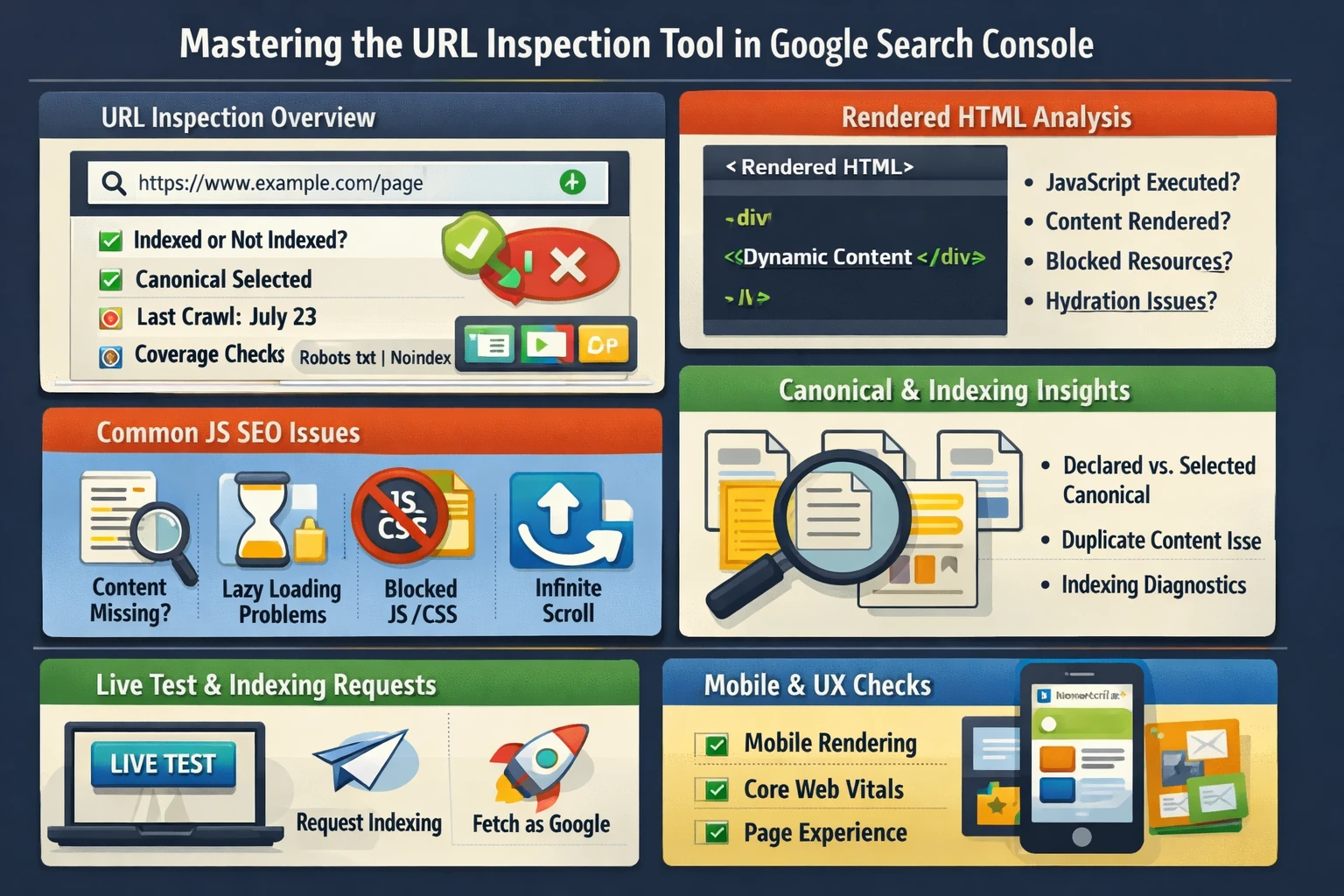
The URL Inspection tool is the most precise, page‑level diagnostic instrument in Google Search Console. It reveals how Googlebot crawls, renders, indexes, and interprets a specific URL. For JavaScript‑heavy sites, it becomes essential for validating rendering, hydration, and content visibility. This pillar explains how URL Inspection works, how to interpret rendering data, and how to diagnose JavaScript SEO issues that affect indexing and rankings.
How URL Inspection Evaluates a Page
When you inspect a URL, Google provides a full breakdown of its indexing lifecycle:
- Indexing status — whether the page is indexed, excluded, or blocked
- Canonical selection — your declared canonical vs. Google’s chosen canonical
- Crawl status — last crawl date, crawl agent, crawl allowance
- Coverage signals — robots.txt, noindex, canonical, alternate versions
- Enhancements — structured data detected
- Mobile usability — mobile rendering and layout
- Live test — real‑time fetch and render
This is the closest you can get to seeing what Google sees.
Rendered HTML & JavaScript Execution
For JavaScript‑driven sites (React, Vue, Angular, Next.js, Nuxt, Shopify Hydrogen, etc.), rendering is the critical step. Google uses a two‑wave indexing process:
- Wave 1: HTML crawl — Googlebot fetches the raw HTML
- Wave 2: Rendered crawl — Google’s Web Rendering Service executes JS
URL Inspection shows the rendered HTML, which reveals:
- Whether JS executed correctly
- Whether content appears after rendering
- Whether dynamic elements load
- Whether hydration mismatches occur
- Whether scripts fail due to blocked resources
If content is missing from rendered HTML, Google cannot index it.
Diagnosing JavaScript SEO Issues
Common JS‑related indexing problems include:
- Content loaded only after user interaction
- Client‑side rendering without hydration fallback
- Lazy‑loaded content without proper triggers
- Blocked JS or CSS resources
- API calls failing during rendering
- Infinite scroll without pagination
- Shadow DOM content not exposed to Googlebot
URL Inspection’s rendered HTML is the fastest way to confirm whether Google can see your content.
Canonical & Duplicate Content Diagnostics
URL Inspection reveals:
- Your declared canonical
- Google’s selected canonical
- Whether the page is considered a duplicate
- Whether alternate versions (AMP, mobile, parameters) exist
Canonical mismatches often cause:
- “Duplicate without user‑selected canonical”
- “Alternate page with proper canonical”
- “Crawled – currently not indexed”
These issues directly affect rankings and visibility.
Indexing Requests & Live Testing
The Request Indexing feature triggers Google to re‑evaluate a URL. It is useful for:
- New content
- Updated content
- Fixed structured data
- Resolved indexing issues
- JavaScript rendering fixes
The Live Test fetches the page in real time, bypassing cached versions. This helps diagnose:
- Server issues
- Robots.txt changes
- Rendering failures
- CDN or caching misconfigurations
Live Test is essential after deployments or migrations.
Mobile Rendering & Page Experience
Google indexes mobile versions of pages first. URL Inspection shows:
- Mobile viewport rendering
- Resource loading behavior
- Layout shifts
- Tap target spacing
- Text readability
Mobile rendering issues often correlate with Core Web Vitals failures.
Why This Pillar Matters
URL Inspection determines:
- Whether Google can see your content
- Whether JavaScript renders correctly
- Whether canonical signals are respected
- Whether indexing failures are technical or quality‑related
- Whether mobile rendering matches user experience
- Whether structured data is valid and visible
This tool is the single most important diagnostic resource for modern, JavaScript‑driven websites.