
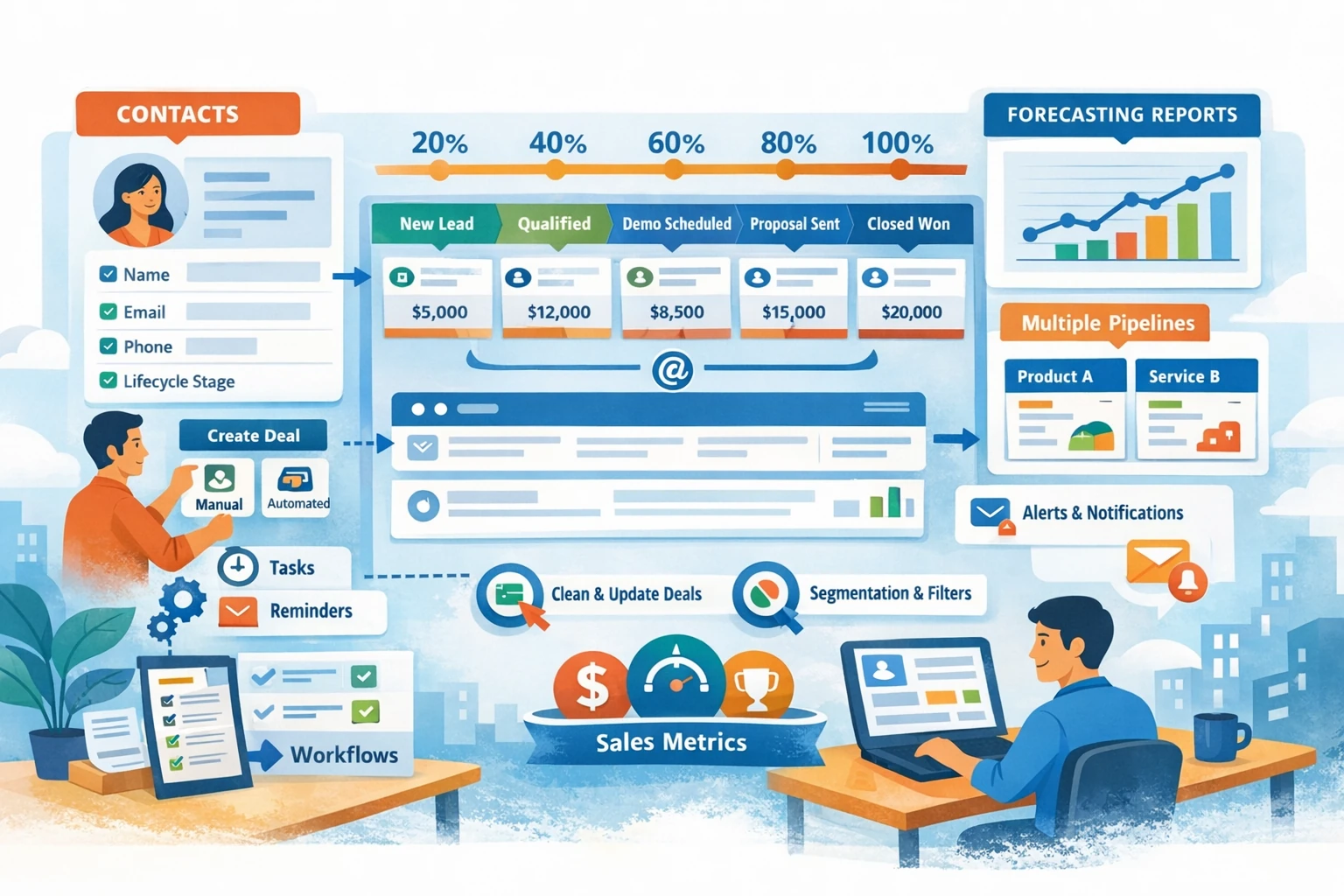
Deals and Pipelines are the operational heart of HubSpot’s sales system. They give structure to your sales process, track revenue opportunities, and create visibility into performance. A well‑designed pipeline helps your team work consistently, forecast accurately, and automate follow‑ups without chaos. This pillar covers how to build pipelines, manage deals, automate tasks, and maintain data quality as your sales volume grows.
Designing a Pipeline That Matches Your Sales Process
A pipeline is a visual representation of your sales stages. Each stage should reflect a real, measurable milestone in your buyer journey. HubSpot includes a default pipeline, but customizing it is essential. Stages often include New Lead, Qualified, Discovery Call, Proposal Sent, Negotiation, and Closed Won/Lost. Assign a probability to each stage to improve forecasting accuracy. If you sell multiple products or have different sales motions, create separate pipelines to avoid clutter and confusion.
Creating and Customizing Deal Stages
Deal stages define the steps required to move a prospect toward closing. Each stage should have clear entry and exit criteria so your team knows exactly when to move a deal forward. Add or remove stages based on your workflow. For example, if you run demos, include a Demo Completed stage. If you send quotes, add a Quote Sent stage. Keep the number of stages manageable; too many stages slow down your team and complicate reporting.
Creating Deals Manually or Automatically
Deals can be created manually from the Deals dashboard or directly from a contact or company record. Manual creation works for low-volume sales, but automation is more scalable. Use workflows to create deals automatically when a contact becomes qualified, submits a key form, or reaches a specific lifecycle stage. Automated deal creation ensures consistency and prevents missed opportunities.
Managing Deals Day to Day
Sales reps work primarily from the board view, dragging deals from one stage to the next. Each deal record includes notes, emails, calls, tasks, and associated contacts or companies. Encourage reps to log activities consistently so managers have accurate visibility. Use tasks to schedule follow-ups and keep deals moving. Add line items if you want to track products or services tied to each deal.
Using Deal Properties for Better Insights
HubSpot includes default deal properties such as Amount, Close Date, Deal Owner, and Deal Stage. Customize properties to capture qualification criteria, product type, contract length, or lead source. Consistent property usage improves reporting and forecasting. Avoid creating too many custom fields; focus on the data that truly drives decisions.
Automating Deal Movement and Notifications
Workflows can automate repetitive tasks such as assigning deal owners, updating stages, sending internal alerts, or creating follow-up tasks. For example, when a deal enters Proposal Sent, you can automatically create a reminder task for the rep to follow up in three days. Automation reduces manual work and ensures no deal stalls due to oversight.
Forecasting and Reporting
HubSpot’s forecasting tools use deal stage probabilities and close dates to estimate revenue. Build dashboards that track pipeline value, deal velocity, win rate, and rep performance. Regular pipeline reviews help identify bottlenecks and improve your sales process. Accurate forecasting depends on clean data, so ensure reps update deal amounts and close dates regularly.
Maintaining Pipeline Hygiene
A healthy pipeline requires ongoing cleanup. Remove stale deals, merge duplicates, and enforce clear rules for stage movement. Use filters to identify deals without next steps or deals stuck in a stage too long. Clean pipelines lead to better forecasting and more reliable reporting.