
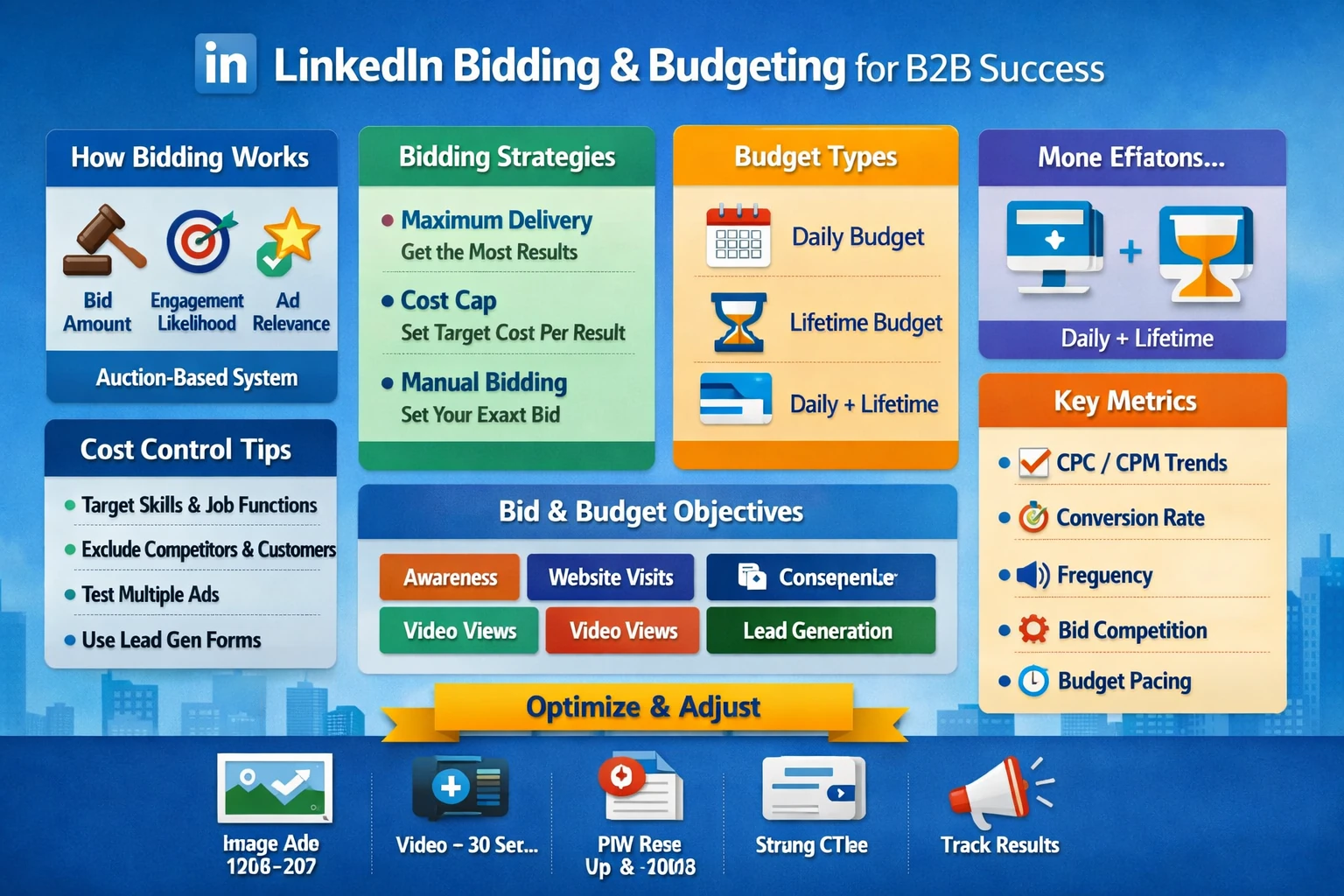
LinkedIn’s bidding and budgeting system is built for B2B advertisers who need predictable costs, controlled delivery, and efficient lead acquisition. Because LinkedIn’s audience is premium and highly targeted, costs are higher than other platforms, making smart bidding and budgeting essential. This pillar explains how bidding works, how budgets influence delivery, how to control costs, and how to structure campaigns for efficiency.
How Bidding Works on LinkedIn
LinkedIn uses an auction system similar to Google and Meta, but optimized for professional intent. Your bid determines how aggressively your ads compete for impressions. The platform evaluates three factors:
- Bid amount
- Estimated engagement likelihood
- Ad relevance and historical performance
Higher bids increase delivery, but relevance and engagement quality also influence auction outcomes. Well‑performing ads often win auctions at lower costs.
Bidding Strategies
LinkedIn offers three main bidding strategies, each suited for different objectives and budgets.
- Maximum Delivery — LinkedIn automatically sets bids to get the most results for your budget. Best for beginners or broad campaigns.
- Cost Cap — You set a target cost per result, and LinkedIn tries to stay near it. Ideal for lead gen and conversion campaigns.
- Manual Bidding — You set the exact bid. Useful for experienced advertisers who want strict control, especially in competitive industries.
Cost Cap is the most balanced option for B2B performance campaigns.
Daily vs. Lifetime Budgets
LinkedIn allows daily budgets, lifetime budgets, or a combination of both.
- Daily Budgets ensure consistent delivery and are ideal for ongoing campaigns.
- Lifetime Budgets allow flexible pacing and are useful for short‑term promotions or event campaigns.
- Daily + Lifetime gives the most control, ensuring pacing while preventing overspend.
LinkedIn recommends a minimum daily budget of $25–$50 for Sponsored Content to ensure stable delivery.
How Budget Size Impacts Performance
Budget influences:
- Delivery volume — Too low and your ads under‑deliver.
- Learning speed — Higher budgets help LinkedIn optimize faster.
- Cost efficiency — Underfunded campaigns often pay higher CPCs due to limited data.
For B2B lead gen, budgets should support at least 20–30 conversions per month to maintain optimization.
Controlling Costs on LinkedIn
Because LinkedIn CPCs and CPMs are higher than other platforms, cost control is essential. Effective strategies include:
- Using Skills or Job Function targeting instead of narrow Job Titles.
- Excluding existing customers, competitors, and irrelevant industries.
- Testing multiple creatives to improve relevance and lower CPCs.
- Using Lead Gen Forms to reduce landing page drop‑off.
- Running retargeting campaigns with smaller budgets for high efficiency.
Cost control is a combination of smart targeting, strong creative, and optimized bidding.
Bid and Budget Recommendations by Objective
Different objectives require different budget and bidding approaches:
- Awareness — Use Maximum Delivery with broad audiences.
- Website Visits — Use Cost Cap or Manual Bidding to control CPC.
- Engagement — Use Maximum Delivery for scale.
- Video Views — Use Maximum Delivery for lower CPVs.
- Lead Generation — Use Cost Cap to stabilize CPL.
- Website Conversions — Use Cost Cap with strong Insight Tag tracking.
Matching bidding strategy to objective improves efficiency and predictability.
Monitoring and Adjusting Performance
Review performance weekly:
- CPC and CPM trends
- Frequency (avoid fatigue)
- Conversion rate and CPL
- Bid competitiveness
- Budget pacing
If CPCs rise, broaden targeting, refresh creative, or adjust bids. If delivery is low, increase bids or budgets.