
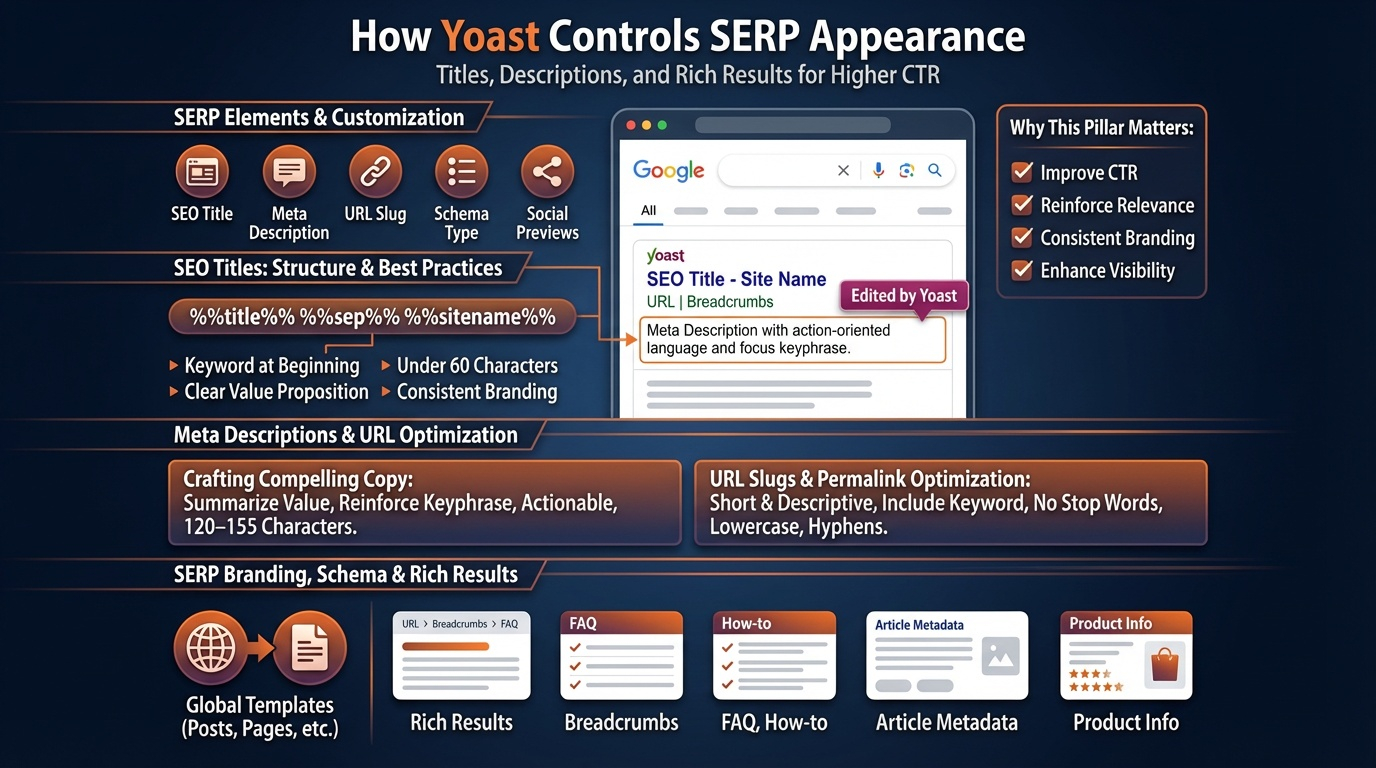
Titles and meta descriptions are the first impression your site makes in Google’s search results. Yoast SEO gives you full control over how each page appears in the SERP, helping you improve click‑through rates, reinforce topical relevance, and maintain consistent branding across your entire site. This pillar explains how Yoast structures titles and descriptions, how to use variables effectively, and how to optimize SERP appearance for both users and search engines.
How Yoast Controls SERP Appearance
Yoast SEO provides a “snippet editor” for every page, allowing you to customize:
- SEO title
- Meta description
- URL slug
- Schema type
- Social previews (OpenGraph & Twitter Cards)
These elements determine how your content appears in Google and influence whether users choose your result over competitors.
SEO Titles: Structure, Variables & Best Practices
Yoast uses a templating system to generate titles automatically. Common variables include:
- Title — the page or post title
- Site title — your brand name
- Separator — dash, pipe, bullet, etc.
- Primary category — for posts
- Tagline — optional branding element
A typical Yoast title template looks like: %%title%% %%sep%% %%sitename%%
Strong SEO titles follow several principles:
- Place the main keyword near the beginning
- Keep titles under 60 characters to avoid truncation
- Use a clear value proposition
- Maintain consistent branding
- Avoid keyword stuffing
- Match the search intent of the query
Yoast’s title preview helps you visualize how the title will appear on desktop and mobile.
Meta Descriptions: Crafting Compelling SERP Copy
Meta descriptions don’t directly affect rankings, but they strongly influence click‑through rate. Yoast allows you to write custom descriptions or use templates. Effective descriptions:
- Summarize the page’s core value
- Reinforce the focus keyphrase naturally
- Use action‑oriented language
- Stay within 120–155 characters
- Match the promise made in the title
- Avoid duplicate descriptions across pages
Yoast highlights when your description is too short, too long, or missing keyphrase relevance.
URL Slugs & Permalink Optimization
Yoast encourages clean, descriptive slugs that improve both SEO and user experience. Best practices include:
- Use short, meaningful words
- Include the primary keyword
- Avoid stop words (e.g., “the,” “and,” “of”)
- Keep URLs lowercase
- Use hyphens, not underscores
Yoast warns you when slugs are too long or contain unnecessary words.
SERP Branding & Consistency
Yoast’s Search Appearance settings allow you to define global templates for:
- Homepage
- Posts
- Pages
- Categories
- Tags
- Custom post types
Consistent templates ensure your brand appears uniformly across all search results, improving recognition and trust.
Schema & Rich Results Integration
Yoast automatically outputs structured data that enhances SERP appearance. Depending on the content type, Google may display:
- Breadcrumbs
- FAQ rich results
- How‑to rich results
- Article metadata
- Product information
Correct schema increases visibility and improves click‑through rates.
Why This Pillar Matters
Titles and meta descriptions determine whether users click your result or scroll past it. Yoast’s SERP optimization tools help you craft compelling, keyword‑aligned, brand‑consistent snippets that improve visibility and engagement. Strong SERP appearance amplifies the impact of your content, even before users land on your site.