
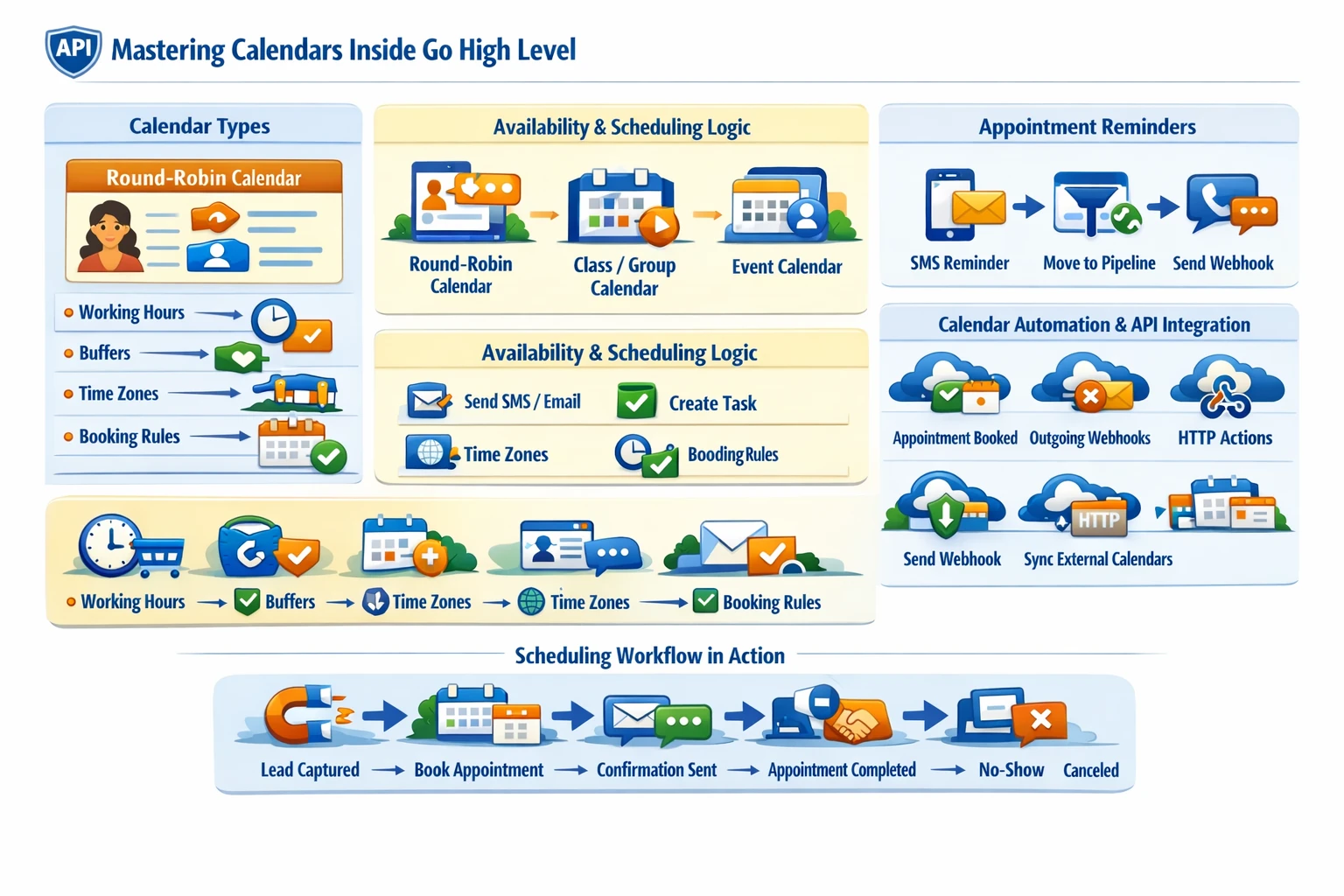
Calendars in Go High Level are more than booking widgets—they are a full scheduling engine tightly integrated with workflows, pipelines, contacts, and the API. A strong calendar architecture determines how reliably appointments get booked, how well leads are routed, and how consistently your automations fire. This pillar explains how calendars work, how to structure them, and how to automate scheduling at scale.
How Calendars Fit Into the GHL Ecosystem
Calendars connect directly with:
- Contacts
- Workflows
- Pipelines
- Conversations
- Teams and user availability
- Payments (paid appointments)
- API integrations
- Round‑robin routing
- Reminders and no‑show automation
Because calendars are deeply integrated, a single booking can trigger dozens of downstream actions.
Calendar Types and Their Use Cases
GHL supports several calendar configurations, each suited for different business models.
- Round‑Robin Calendars — distribute appointments across multiple team members. Ideal for sales teams, agencies, and call centers.
- Class/Group Calendars — allow multiple attendees per time slot. Useful for webinars, workshops, and group coaching.
- Event Calendars — one‑off events with fixed times.
- User‑Specific Calendars — tied to a single team member’s availability. Best for consultants, coaches, and service providers.
Choosing the right calendar type ensures accurate routing and prevents double‑booking.
Availability, Buffers & Scheduling Logic
Each calendar includes:
- Working hours
- Breaks
- Minimum scheduling notice
- Buffer times
- Maximum appointments per day
- Time zone handling
- Custom availability per user
These settings determine how flexible or strict your scheduling system is. For example:
- Short notice windows increase booking volume but reduce preparedness.
- Buffers prevent back‑to‑back burnout and reduce no‑shows.
- Time zone automation ensures global clients book correctly.
A well‑designed availability structure improves both user experience and operational efficiency.
Appointment Reminders & No‑Show Reduction
GHL automates reminders through:
- SMS
- Voicemail drops
- Messenger/WhatsApp (if enabled)
Reminder workflows often include:
- Confirmation messages
- 24‑hour reminders
- 1‑hour reminders
- Reschedule links
- No‑show follow‑ups
- Rebooking sequences
These automations dramatically reduce no‑shows and increase show‑up rates.
Calendar Integration With Workflows
Calendars trigger workflows through:
- Appointment booked
- Appointment rescheduled
- Appointment canceled
- Appointment status changed (show/no‑show)
This enables:
- Lead routing
- Pipeline stage movement
- Task creation
- Automated follow‑ups
- CRM updates
- External API calls
- Payment triggers
Calendars are one of the most powerful workflow triggers in the entire platform.
Pipeline & Opportunity Automation
Appointments often map directly to pipeline stages:
- Booked → “Appointment Set”
- Showed → “Appointment Completed”
- No‑Show → “No‑Show”
- Canceled → “Canceled”
This creates a clean, automated sales process where every appointment updates the CRM without manual work.
Calendar API Capabilities
The GHL API allows you to:
- Create appointments
- Update appointments
- Cancel appointments
- Pull availability
- Sync external calendars
- Build custom scheduling apps
- Trigger workflows via API events
This is essential for SaaS products, custom dashboards, or external booking systems.
Avoiding Common Calendar Problems
Most scheduling issues come from:
- Overlapping availability
- Incorrect user assignment
- Missing time zone settings
- Conflicting workflows
- Duplicate calendars
- Improper round‑robin configuration
A clean calendar architecture prevents these issues and ensures reliable automation.
Why Calendars Matter for Scaling
Calendars determine:
- Lead‑to‑appointment conversion rate
- Sales team efficiency
- No‑show rate
- Workflow reliability
- Data accuracy
- Client experience
A well‑designed scheduling system becomes a revenue engine, not just a booking tool.