
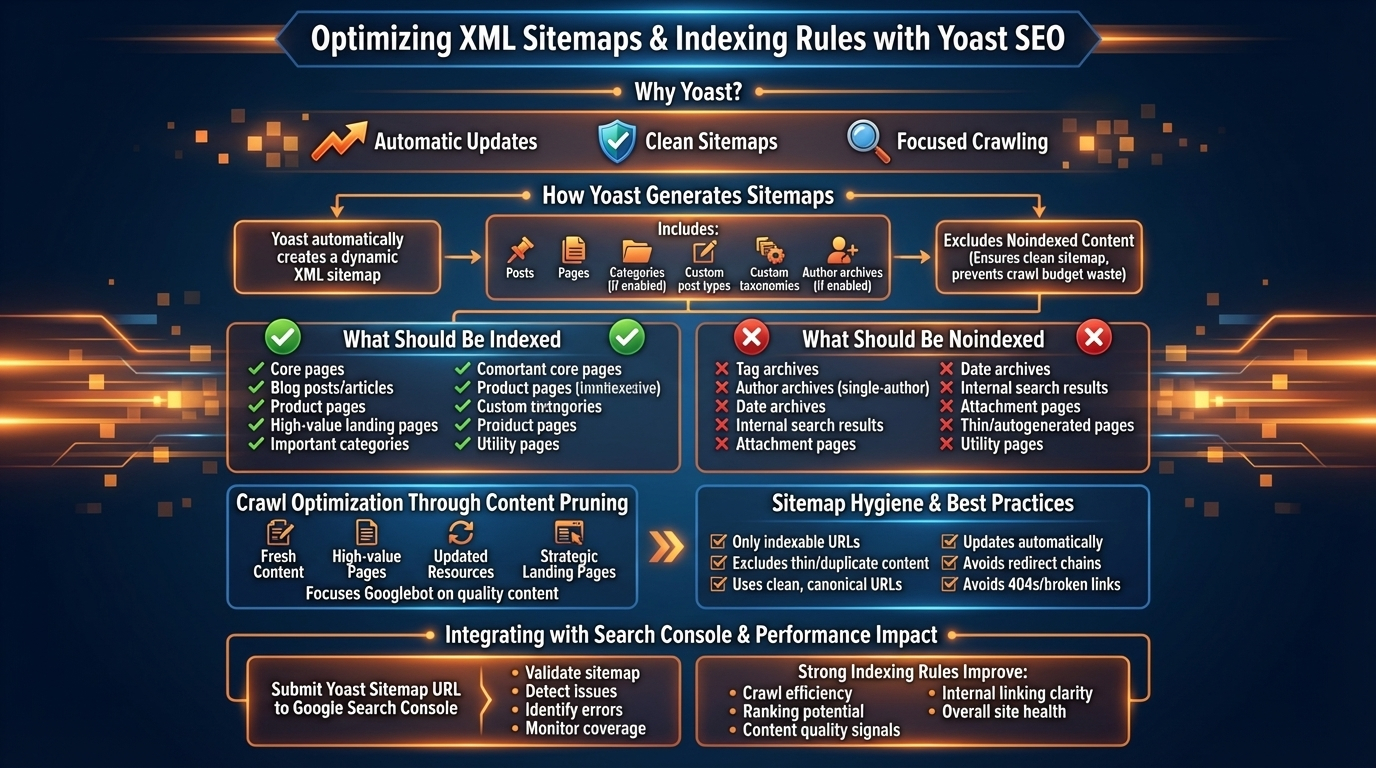
A clean XML sitemap and well‑defined indexing rules are essential for helping search engines discover, understand, and prioritize your content. Yoast SEO automates most of this process, but the real power comes from configuring what should and should not be indexed. This pillar explains how Yoast generates sitemaps, how indexing rules shape crawl behavior, and how to optimize your site so Google spends its crawl budget on the pages that matter most.
How Yoast SEO Generates XML Sitemaps
Yoast automatically creates a dynamic XML sitemap that updates whenever you publish, update, or delete content. The sitemap includes:
- Posts
- Pages
- Categories (if enabled)
- Custom post types
- Custom taxonomies
- Author archives (if enabled)
Yoast excludes noindexed content automatically, ensuring your sitemap stays clean and focused. This prevents Google from wasting crawl budget on thin, duplicate, or irrelevant URLs.
Why XML Sitemaps Matter for SEO
Sitemaps help search engines:
- Discover new content faster
- Understand your site’s structure
- Prioritize important URLs
- Avoid crawling unnecessary pages
- Maintain an accurate index
For large or frequently updated sites, sitemaps are essential for efficient crawling and indexing.
Indexing Rules: What Should Be Indexed
Yoast gives you granular control over which content types appear in search results. As a general rule, you should index:
- Core pages (home, services, about, contact)
- Blog posts and articles
- Product pages (for e‑commerce)
- High‑value landing pages
- Important categories (if they add value)
Indexed pages should be unique, useful, and aligned with search intent.
What Should Be Noindexed
Noindexing prevents low‑value or duplicate content from appearing in search results. Yoast allows you to noindex:
- Tag archives
- Author archives on single‑author sites
- Date archives
- Internal search results
- Attachment pages
- Thin or autogenerated pages
- Utility pages (login, thank‑you, account pages)
This reduces index bloat and improves the overall quality of your site’s presence in Google.
Crawl Optimization Through Content Pruning
Yoast’s indexing controls help you prune unnecessary URLs. This improves crawl efficiency by ensuring Googlebot focuses on:
- Fresh content
- High‑value pages
- Updated resources
- Strategic landing pages
Pruning is especially important for large WordPress sites with thousands of automatically generated URLs.
Sitemap Hygiene & Best Practices
A healthy sitemap follows several principles:
- Only includes indexable URLs
- Excludes thin or duplicate content
- Uses clean, canonical URLs
- Updates automatically
- Avoids redirect chains
- Avoids 404s or broken links
Yoast handles most of this automatically, but periodic manual checks are still valuable.
Integrating Yoast Sitemaps with Search Console
Submitting your sitemap to Google Search Console helps Google:
- Validate your sitemap
- Detect indexing issues
- Identify crawl errors
- Monitor coverage reports
- Understand your site structure
Yoast provides the sitemap URL, which you can submit directly in Search Console.
How Indexing Rules Affect SEO Performance
Strong indexing rules improve:
- Crawl efficiency
- Ranking potential
- Content quality signals
- Internal linking clarity
- Overall site health
When Google indexes only your best content, your entire domain becomes more authoritative.