
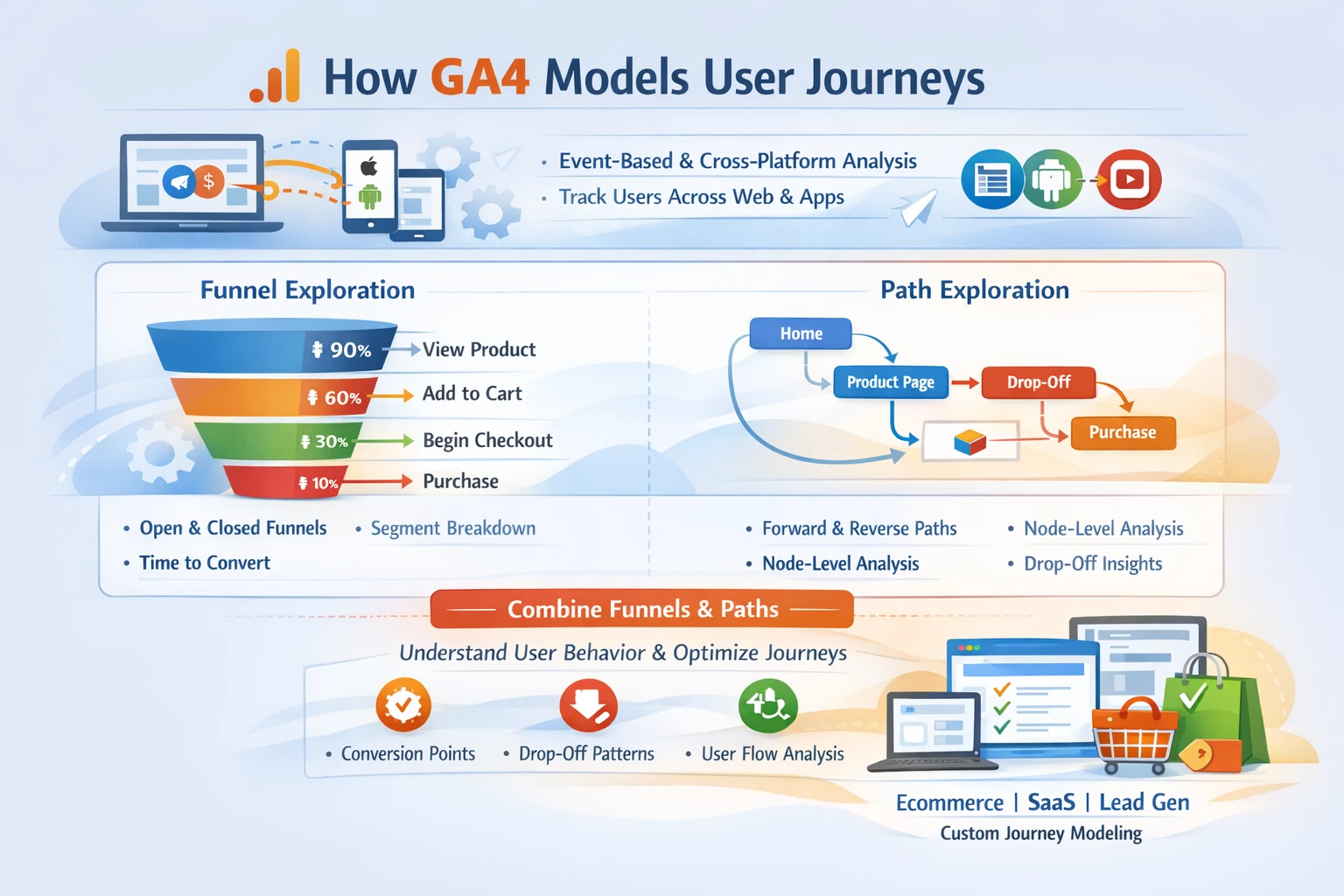
GA4’s funnel and path analysis tools give you a full picture of how users move through your website or app, where they drop off, and which behaviors lead to conversions. Unlike Universal Analytics, GA4’s journey analysis is event‑based, cross‑platform, and fully customizable, allowing you to model any business process—from ecommerce checkout to SaaS onboarding to multi‑step lead qualification.
How GA4 Models User Journeys
GA4 uses events and parameters to reconstruct user behavior across:
- Websites
- iOS apps
- Android apps
- Hybrid or multi‑domain flows
Because every interaction is an event, GA4 can build funnels and paths around any sequence of actions, not just pageviews. This makes journey analysis far more flexible than UA’s goal funnels.
Funnel Exploration
Funnel Exploration is GA4’s most powerful tool for analyzing structured, step‑by‑step processes. You can build funnels using:
- Recommended events (e.g., add_to_cart, begin_checkout, purchase)
- Custom events (e.g., onboarding_step_3_completed)
- Parameters (e.g., plan_type = premium)
- User properties (e.g., subscription_status = trial)
GA4 supports two funnel types:
- Open funnels — users can enter at any step
- Closed funnels — users must follow the exact sequence
This flexibility allows you to model real‑world behavior accurately.
Funnel Features That Didn’t Exist in UA
GA4 introduces several advanced capabilities:
- Segment comparisons inside funnels
- Breakdowns by device, traffic source, or user property
- Elapsed time between steps
- Trended funnels to show performance over time
- Next action prediction using machine learning
- User‑level drill‑downs for qualitative analysis
These features turn funnels into a full diagnostic tool for CRO, UX, and lifecycle optimization.
Path Exploration
Path Exploration visualizes the actual routes users take through your site or app. It supports:
- Forward pathing — what users do after an event
- Reverse pathing — what users did before an event
- Node‑level expansion — drill into any event or page
- Filtering by segment, device, or traffic source
Reverse pathing is especially powerful for identifying:
- Pre‑conversion behaviors
- Drop‑off patterns
- Unexpected user flows
- UX friction points
This is essential for diagnosing issues that funnels alone can’t reveal.
Event‑Based Journey Modeling
Because GA4 is event‑driven, you can build journeys around:
- Micro‑conversions
- Engagement signals
- App interactions
- Ecommerce steps
- Lead qualification events
- Subscription lifecycle events
This allows you to model complex journeys such as:
- SaaS onboarding
- Multi‑step lead forms
- Hybrid app + web flows
- Multi‑domain ecommerce checkouts
UA could not do this without heavy customization.
Combining Funnels & Paths for Deeper Insight
Funnels show where users drop off. Paths show why they drop off.
Together, they reveal:
- Behavioral loops
- Dead‑end pages
- Unexpected detours
- High‑value user patterns
- UX friction points
- Conversion accelerators
This combination is essential for CRO, product analytics, and lifecycle optimization.
Common Journey Analysis Mistakes
Teams often misinterpret GA4 journey data due to:
- Using pageviews instead of events
- Missing key events in the funnel
- Not using reverse pathing
- Overlooking parameter‑level segmentation
- Mixing app and web events inconsistently
- Not validating events in DebugView
A clean event taxonomy (Pillar 2) prevents these issues.
Why This Pillar Matters
Journey analysis determines:
- Where users struggle
- Which behaviors predict conversion
- How to optimize funnels
- How to improve UX
- How to increase revenue
- How to reduce churn
Funnels and paths are the diagnostic engine of GA4.