
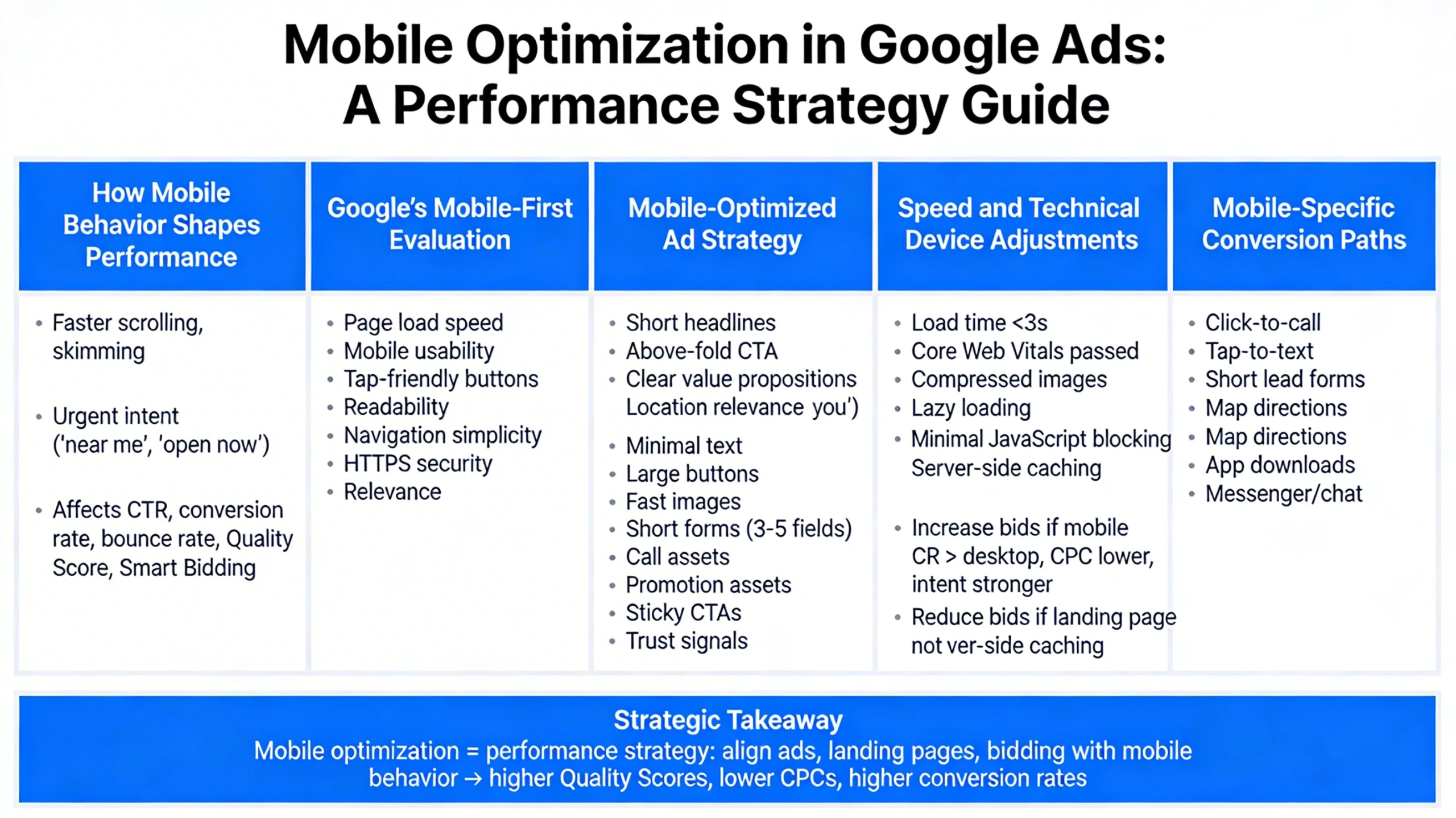
Mobile optimization is no longer optional in Google Ads—it’s the environment where most searches, clicks, and conversions now happen. For many industries, 70–90% of paid search traffic is mobile, and Google’s auction system heavily rewards advertisers who deliver fast, frictionless mobile experiences. This pillar explains how mobile behavior shapes performance, how Google evaluates mobile experience, and how to optimize campaigns, ads, and landing pages specifically for mobile users.
How Mobile Behavior Shapes Google Ads Performance
Mobile users behave differently from desktop users. They scroll faster, skim more, and expect instant results. Their intent is often more urgent (“near me”, “open now”, “same day”), and their tolerance for friction is extremely low. This affects:
- Click-through rates
- Conversion rates
- Bounce rates
- Quality Score
- Smart Bidding predictions
A mobile-optimized campaign aligns with these behavioral patterns rather than treating mobile as a smaller version of desktop.
Google’s Mobile-First Evaluation
Google evaluates mobile experience using several signals:
- Page load speed
- Mobile usability
- Tap-friendly buttons
- Readability
- Navigation simplicity
- HTTPS security
- Relevance to the search query
These signals influence both Quality Score and Ad Rank, meaning mobile optimization directly affects CPC and impression share.
Mobile-Optimized Ad Strategy
Mobile ads must communicate value faster and more clearly than desktop ads. High-performing mobile ads typically include:
- Short, punchy headlines
- Clear value propositions
- Location-based relevance (“near you”, “local”, “open now”)
- Call assets for click-to-call conversions
- Promotion assets for urgency
- Sitelinks that simplify navigation
Mobile users often prefer calling over filling out forms, so call-focused assets and CTAs can dramatically increase conversion rates.
Mobile Landing Page Requirements
A mobile landing page must load instantly and guide the user toward a single, clear action. Essential elements include:
- A headline that matches the ad
- A strong CTA above the fold
- Minimal text and clean layout
- Large, tap-friendly buttons
- Fast-loading images
- Short forms (3–5 fields max)
- Sticky call or CTA buttons
- Trust signals visible without scrolling
Every additional second of load time can reduce conversions by 20–30%. Mobile users simply won’t wait.
Speed and Technical Performance
Google’s mobile-first indexing means your mobile site is the version Google evaluates for ranking and ad relevance. Key performance benchmarks:
- Load time under 3 seconds
- Core Web Vitals passing
- Compressed images
- Lazy loading for media
- Minimal JavaScript blocking
- Server-side caching
A fast mobile site improves both user experience and Smart Bidding efficiency.
Mobile Bidding and Device Adjustments
Smart Bidding automatically adjusts bids by device, but manual or hybrid strategies may require device modifiers. Consider increasing mobile bids when:
- Mobile conversion rates exceed desktop
- Mobile CPC is lower
- Mobile intent is stronger (e.g., emergency services)
Conversely, reduce mobile bids if your landing page is not fully optimized yet.
Mobile-Specific Conversion Paths
Mobile users convert differently. Common mobile conversion paths include:
- Click-to-call
- Tap-to-text
- Short lead forms
- Map directions
- App downloads
- Messenger or chat
Tracking these micro-conversions helps Smart Bidding learn mobile behavior more accurately.
Strategic Takeaway
Mobile optimization is not a design task—it’s a performance strategy. When your ads, landing pages, and bidding align with mobile behavior, you unlock higher Quality Scores, lower CPCs, and significantly higher conversion rates.