
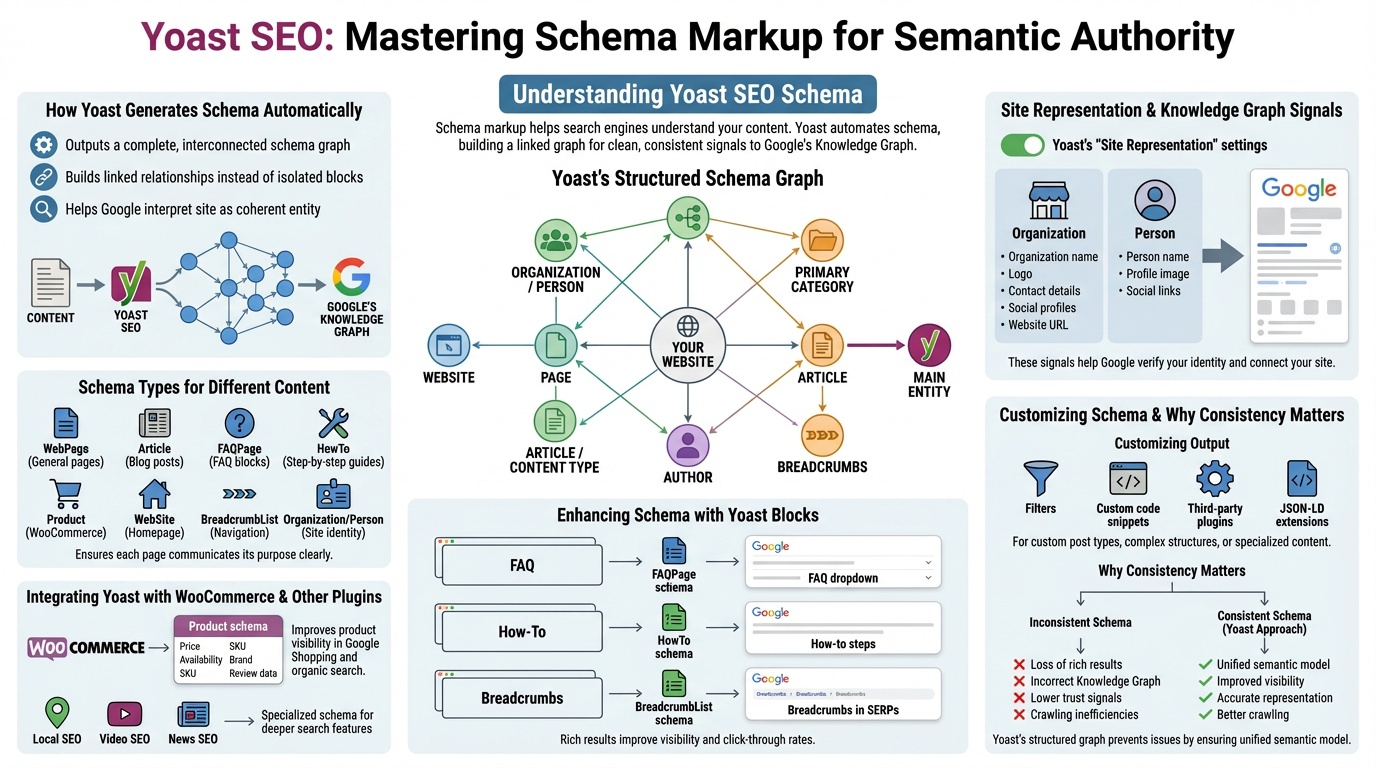
Schema markup is one of Yoast SEO’s most powerful features. It helps search engines understand what your content represents—an article, a product, a FAQ, a recipe, a business, a person, or something else entirely. Yoast automates most schema output, but the real value comes from understanding how it works, how to extend it, and how to ensure your site sends clean, consistent signals to Google’s Knowledge Graph. This pillar explains how Yoast structures schema, how to customize it, and how to use it to strengthen your site’s semantic authority.
How Yoast Generates Schema Automatically
Yoast SEO outputs a complete, interconnected schema graph for every page. Instead of isolated schema blocks, Yoast builds a linked graph that shows relationships between:
- The website
- The organization or person behind it
- The page
- The article or content type
- The author
- The breadcrumbs
- The primary category
- The main entity of the page
This structured approach helps Google interpret your site as a coherent entity rather than a collection of disconnected pages.
Site Representation & Knowledge Graph Signals
Yoast’s “Site Representation” settings define whether your site represents a person or an organization. This determines the top-level schema that Google uses to build your Knowledge Panel. For organizations, Yoast outputs:
- Organization name
- Logo
- Contact details
- Social profiles
- Website URL
For personal brands, Yoast outputs:
- Person name
- Profile image
- Social links
These signals help Google verify your identity and connect your site to your broader online presence.
Schema Types for Different Content
Yoast automatically assigns schema types based on the content:
- WebPage for general pages
- Article for blog posts
- FAQPage for FAQ blocks
- HowTo for step-by-step guides
- Product when paired with WooCommerce
- WebSite for the homepage
- BreadcrumbList for navigation
- Organization/Person for site identity
This ensures each page communicates its purpose clearly to search engines.
Enhancing Schema with Yoast Blocks
Yoast includes Gutenberg blocks that generate rich schema:
- FAQ block → outputs FAQPage schema
- How-To block → outputs HowTo schema
- Breadcrumb block → outputs BreadcrumbList schema
These blocks help you earn rich results such as:
- FAQ dropdowns
- How-to steps
- Enhanced article previews
- Breadcrumbs in SERPs
Rich results improve visibility and click‑through rates.
Integrating Yoast with WooCommerce & Other Plugins
Yoast SEO integrates with WooCommerce to output:
- Product schema
- Price
- Availability
- SKU
- Brand
- Review data
This improves product visibility in Google Shopping and organic search. Yoast also integrates with:
- Local SEO plugins
- Video SEO plugins
- News SEO plugins
Each adds specialized schema for deeper search features.
Customizing Schema Output
Yoast allows advanced users to modify schema using:
- Filters
- Custom code snippets
- Third‑party schema plugins
- JSON‑LD extensions
This is useful for sites with custom post types, complex business structures, or specialized content formats.
Why Schema Consistency Matters
Google rewards sites with clean, consistent schema. Inconsistent or conflicting schema can cause:
- Loss of rich results
- Incorrect Knowledge Graph associations
- Lower trust signals
- Crawling inefficiencies
Yoast’s structured graph approach prevents these issues by ensuring every page fits into a unified semantic model.