
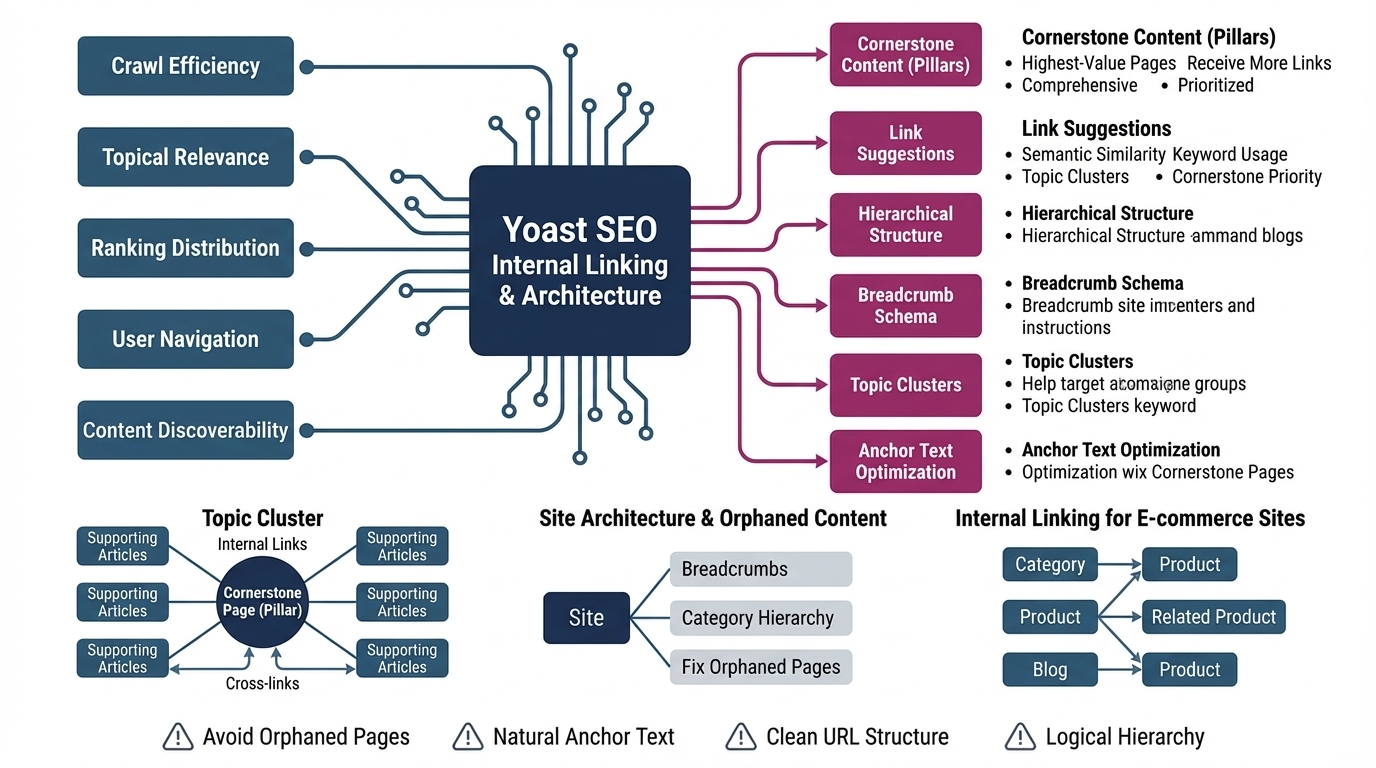
Internal linking is one of the strongest ranking levers in SEO, and Yoast SEO gives you tools to build a clean, intentional site architecture. Cornerstone content, link suggestions, and hierarchical structure help search engines understand which pages matter most. This pillar explains how Yoast supports internal linking, how to build a cornerstone system, and how to shape your site architecture for maximum clarity and authority.
How Internal Linking Supports SEO
Internal links help search engines discover pages, understand relationships, and assign importance. Strong internal linking improves:
- Crawl efficiency
- Topical relevance
- Ranking distribution
- User navigation
- Content discoverability
Yoast’s internal linking tools guide you toward a structured, intentional linking strategy rather than random or inconsistent links.
Cornerstone Content: Defining Your Most Important Pages
Cornerstone content represents your highest‑value, most authoritative pages—usually long‑form guides, service pages, or category hubs. In Yoast, marking a page as “cornerstone” signals:
- This page should receive more internal links
- This page should be more comprehensive
- This page should be prioritized in your architecture
- Yoast should suggest linking to it more often
Cornerstones act as the “pillars” of your site, with supporting articles linking back to them.
How Yoast’s Internal Linking Suggestions Work
Yoast Premium analyzes your content and suggests relevant internal links while you write. These suggestions are based on:
- Semantic similarity
- Keyword usage
- Topic clusters
- Cornerstone priority
This helps you build topic clusters naturally, ensuring related content supports your most important pages.
Building Topic Clusters with Yoast
A topic cluster includes:
- One cornerstone page (pillar)
- Multiple supporting articles
- Internal links from each supporting article to the cornerstone
- Optional cross‑links between related supporting articles
This structure helps Google understand your topical authority and improves rankings across the entire cluster.
Optimizing Anchor Text for Clarity
Yoast encourages natural, descriptive anchor text. Effective anchor text:
- Uses clear, meaningful wording
- Reflects the target page’s topic
- Avoids generic phrases like “click here”
- Supports semantic relevance
Good anchor text improves both user experience and search engine understanding.
Site Architecture: Hierarchy, Navigation & Breadcrumbs
Yoast supports a clean site architecture through:
- Breadcrumb schema
- Category hierarchy
- Cornerstone prioritization
- Internal linking suggestions
A strong architecture includes:
- Clear categories
- Minimal orphan pages
- Logical navigation paths
- Consistent URL structure
Breadcrumbs help users and search engines understand where a page sits within your hierarchy.
Avoiding Orphaned Content
Orphaned content has no internal links pointing to it. Yoast flags orphaned pages so you can:
- Add links from relevant articles
- Place them in a category
- Integrate them into a topic cluster
- Decide whether they should be indexed
Fixing orphaned content improves crawlability and ranking potential.
Internal Linking for E‑commerce Sites
For WooCommerce sites, internal linking supports:
- Category → product relationships
- Product → related product links
- Blog → product links
- Cornerstone → product guides
This improves product discoverability and strengthens category authority.
Why This Pillar Matters
Internal linking is one of the most controllable and impactful SEO strategies. Yoast’s tools help you build a structured, intentional architecture where cornerstone pages lead, supporting pages reinforce, and search engines clearly understand your hierarchy.