
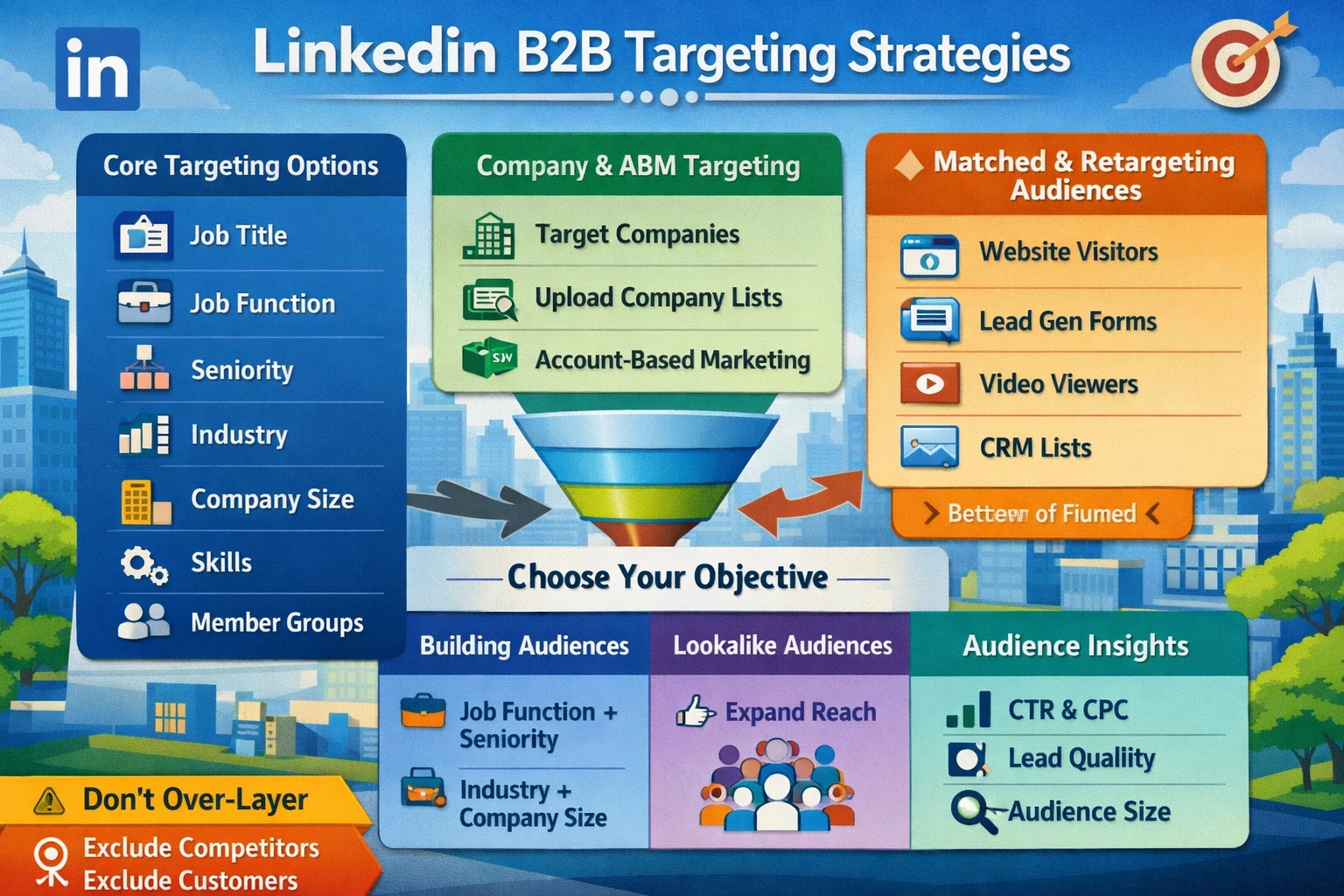
LinkedIn’s targeting system is the most powerful B2B audience engine in digital advertising. Unlike other platforms that rely heavily on behavioral or interest‑based signals, LinkedIn uses first‑party professional data: job titles, industries, seniority, skills, company size, and more. This makes LinkedIn uniquely effective for reaching decision‑makers, niche B2B segments, and high‑value accounts. This pillar explains how to build audiences, choose targeting layers, use matched audiences, and optimize reach without overspending.
Core Targeting Categories
LinkedIn offers several targeting dimensions that can be combined to create precise B2B audiences. The most commonly used include:
- Job Title — Highly accurate but can be narrow and expensive.
- Job Function — Broader than job title; ideal for scaling.
- Seniority — Targets decision‑makers (Manager, Director, VP, C‑Suite).
- Industry — Useful for vertical‑specific campaigns.
- Company Size — Essential for SMB vs. Enterprise segmentation.
- Skills — One of the most powerful and scalable targeting types.
- Member Groups — Reaches highly engaged niche communities.
- Education — Useful for recruiting or training programs.
Each category has different reach and cost implications. Job Title is precise but expensive; Skills and Job Function scale better.
Building Effective Audience Combinations
Strong LinkedIn audiences use layering to balance precision and scale. For example:
- Job Function + Seniority
- Industry + Company Size
- Skills + Seniority
- Job Title + Industry
- Groups + Skills
Avoid over‑layering. Too many filters shrink your audience and increase CPMs. LinkedIn recommends a minimum audience size of 50,000–300,000 for Sponsored Content and 15,000+ for retargeting.
Company Targeting & ABM
LinkedIn is the strongest platform for Account‑Based Marketing (ABM). You can target:
- Specific companies
- Company lists (CSV upload)
- Company categories (Fortune 500, fast‑growing startups, etc.)
Company targeting pairs well with Seniority or Job Function to reach the right people inside the right accounts. This is ideal for enterprise SaaS, B2B services, and high‑ticket offers.
Matched Audiences (Retargeting & Uploads)
Matched Audiences allow you to target:
- Website visitors (via Insight Tag)
- Lead Gen Form openers or submitters
- Video viewers
- Email lists
- Company lists
Retargeting audiences are smaller but convert at much higher rates. They are essential for mid‑funnel and bottom‑funnel campaigns.
Lookalike Audiences
LinkedIn can generate lookalikes from:
- Contact lists
- Company lists
- Website audiences
Lookalikes expand reach while maintaining relevance. They are ideal for scaling top‑of‑funnel campaigns after initial data is collected.
Audience Expansion
Audience Expansion allows LinkedIn to reach similar users beyond your selected criteria. It works well with Skills, Job Function, and Seniority targeting. Avoid using it with Job Title or Company Lists, where precision matters more.
🧹 Avoiding Common Targeting Mistakes
- Over‑layering leads to tiny, expensive audiences.
- Job Title alone is too narrow for scale.
- Excluding competitors prevents wasted spend.
- Always exclude existing customers from prospecting.
- Use Skills targeting to reduce CPCs while maintaining relevance.
Measuring Audience Performance
Monitor:
- CTR (relevance)
- CPC (efficiency)
- Lead quality (CRM data)
- Frequency (avoid fatigue)
- Audience size (avoid under‑delivery)
Strong audience performance depends on balancing precision with reach.