
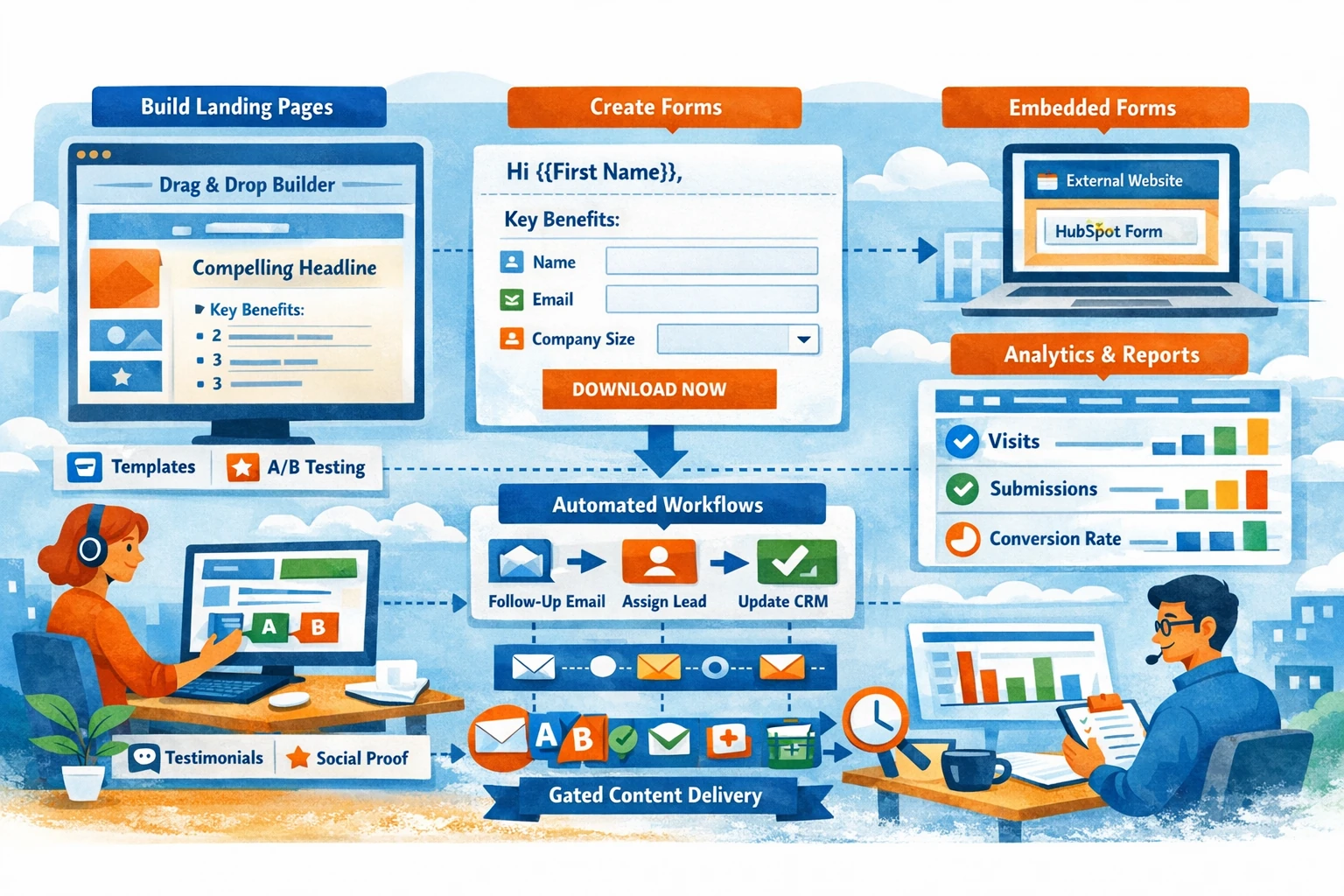
Landing Pages and Forms are the conversion engine of HubSpot. They turn anonymous visitors into contacts, feed your CRM with structured data, and trigger automation that moves leads through your funnel. Because HubSpot connects pages, forms, analytics, and CRM records, every conversion becomes trackable and actionable. This pillar covers how to build landing pages, design forms, optimize conversions, and maintain clean data.
Landing Pages as Conversion Assets
Landing pages are focused, distraction‑free pages designed to drive a single action—downloading a guide, booking a demo, registering for a webinar, or claiming an offer. HubSpot’s drag‑and‑drop builder lets you create pages without coding. Choose a template, customize modules, and ensure your layout follows a clear hierarchy: headline, value proposition, benefits, social proof, and a form. Remove navigation menus to reduce exits. Use consistent branding and mobile‑optimized layouts to improve user experience.
Structuring a High‑Converting Landing Page
A strong landing page starts with a clear headline that communicates the offer’s value. Follow with a short paragraph or bullet list explaining what the visitor will gain. Add trust elements such as testimonials, logos, or statistics. Place the form above the fold so users see the call‑to‑action immediately. Use contrasting colors for the CTA button to draw attention. Keep the page focused—avoid unnecessary links or distractions that pull users away from the conversion goal.
Creating Forms for Lead Capture
Forms collect the data that powers your CRM. HubSpot forms can be embedded on landing pages, pop‑ups, or external websites. You can choose from single‑line text fields, dropdowns, checkboxes, date pickers, and more. Each field maps to a HubSpot property, so your CRM stays structured. Start with essential fields like First Name, Email, and Company. Add qualification fields only when necessary. Shorter forms convert better, but longer forms can improve lead quality—balance based on your goals.
Using Progressive Profiling
Progressive profiling shows different fields to returning visitors. Instead of asking for all information at once, HubSpot gradually collects data over multiple interactions. For example, the first visit may ask for name and email; the second visit may ask for company size or role. This improves conversion rates while enriching CRM data. Progressive profiling is especially useful for content-heavy funnels where users download multiple assets.
Smart Fields and Conditional Logic
Smart fields allow you to show or hide fields based on previous answers. This creates a personalized experience and reduces friction. For example, if a user selects “Enterprise” as company size, you can reveal additional qualification questions. Conditional logic ensures you collect relevant data without overwhelming users. It also improves segmentation and lead scoring accuracy.
Embedding Forms on External Sites
HubSpot forms can be embedded on WordPress, Shopify, Webflow, or custom-coded sites. Embedding ensures all submissions sync directly into your CRM. You can also use non-HubSpot forms with HubSpot’s tracking code and form detection, but native forms provide better analytics and automation triggers. Always test embedded forms to ensure styling and responsiveness match your site.
Connecting Forms to Automation
Every form submission can trigger workflows. Common automations include sending a thank‑you email, assigning a lead owner, updating lifecycle stage, or creating a deal. Automating follow‑ups ensures leads receive timely responses and prevents manual bottlenecks. For gated content, use automated delivery emails instead of redirecting users to a download link on the page.
Analyzing Landing Page & Form Performance
HubSpot provides analytics for views, submissions, conversion rate, and traffic sources. Review performance regularly to identify bottlenecks. Low view counts indicate traffic issues; low submission rates indicate friction in the page or form. A/B test headlines, CTAs, layouts, or form lengths to improve conversions. Use heatmaps (via integrations) to understand user behavior.