
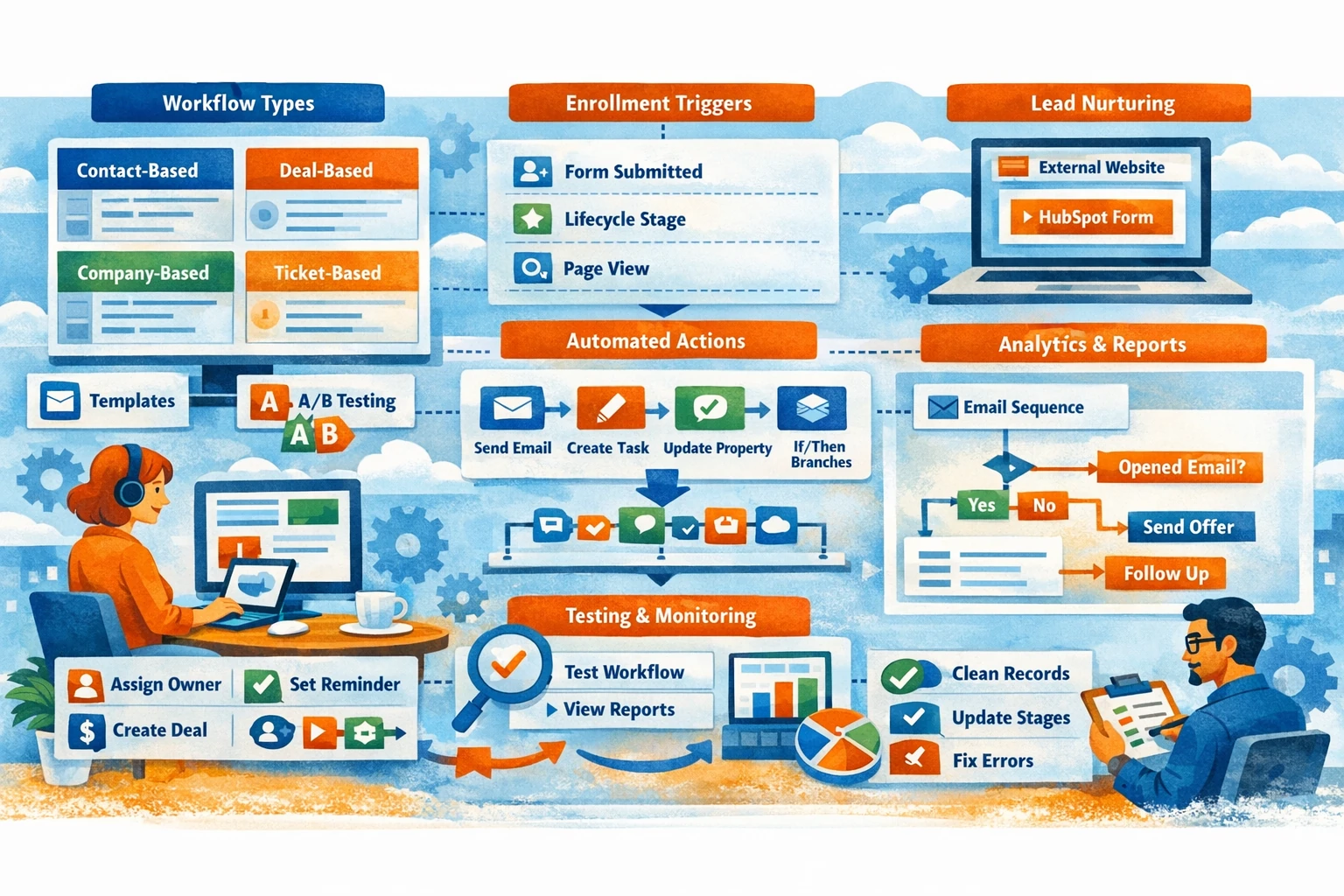
Workflows and automation are where HubSpot becomes a true growth engine. They eliminate repetitive tasks, enforce consistency, accelerate lead movement, and ensure no opportunity slips through the cracks. Because workflows connect CRM data, marketing tools, sales actions, and service processes, they become the backbone of scalable operations. This pillar explains how to build workflows, choose triggers, automate actions, maintain data quality, and avoid common pitfalls.
Understanding Workflow Types
HubSpot offers several workflow types, each designed for a specific use case. Contact‑based workflows are the most common and power lead nurturing, lifecycle updates, and segmentation. Company‑based workflows help manage account-level processes. Deal‑based workflows automate pipeline movement, task creation, and forecasting updates. Ticket‑based workflows streamline support operations. Choosing the right workflow type ensures your automation triggers correctly and updates the right records.
Enrollment Triggers and Conditions
Enrollment triggers determine when a record enters a workflow. Triggers can be based on form submissions, property changes, list membership, page views, or integrations. For example, a contact may enter a workflow when they submit a demo request or reach the MQL lifecycle stage. Use filters to refine enrollment, such as excluding existing customers or unqualified leads. Re‑enrollment settings allow contacts to enter a workflow multiple times when appropriate, such as for recurring downloads or repeated actions.
Building Workflow Actions
Workflows can perform a wide range of actions. Common actions include sending emails, creating tasks, updating properties, rotating leads, creating deals, or sending internal notifications. Delays allow you to space out actions over time. Branching logic lets you personalize paths based on behavior or data—for example, sending different emails to enterprise vs. SMB leads. Each action should support a clear goal, whether nurturing, qualifying, or routing leads.
Lead Nurturing with Automated Sequences
Workflows are ideal for nurturing leads through educational content, product information, or onboarding steps. A typical nurture workflow might send a series of emails spaced over several days. Use branching to adjust messaging based on engagement—contacts who click key links may receive more advanced content, while inactive contacts may receive re‑engagement prompts. Nurture workflows should guide leads toward a clear conversion goal, such as booking a call or requesting a quote.
Automating Sales Processes
Deal‑based workflows help sales teams stay organized. When a deal enters a stage, workflows can assign owners, create follow‑up tasks, update close dates, or send internal alerts. For example, when a deal moves to Proposal Sent, a workflow can create a reminder task for the rep to follow up in three days. Automation ensures consistent execution and reduces manual work, especially in high‑volume pipelines.
Data Hygiene and Lifecycle Management
Workflows can maintain clean CRM data by updating lifecycle stages, lead status, or qualification fields. For example, when a contact becomes a customer, a workflow can update their lifecycle stage, assign them to a customer success manager, and trigger onboarding emails. Data hygiene workflows prevent inconsistencies and ensure accurate reporting.
Testing, Monitoring, and Troubleshooting
Before activating a workflow, use test mode to simulate enrollment and verify actions. After activation, monitor performance through workflow history and goal tracking. Look for bottlenecks, errors, or unexpected enrollments. Regular audits ensure workflows remain aligned with your evolving processes. Avoid overlapping workflows that update the same properties, as this can create conflicts or loops.
Avoiding Common Automation Pitfalls
Over‑automation can overwhelm contacts or create conflicting actions. Keep workflows focused and purposeful. Document your automation architecture so your team understands how workflows interact. Review workflows quarterly to retire outdated logic and optimize performance. Clean, intentional automation creates a scalable, predictable system.