
Lists and segmentation are the intelligence layer of HubSpot. They determine who receives your emails, who enters workflows, who qualifies for sales outreach, and how your CRM stays organized. Strong segmentation improves engagement, reduces unsubscribes, and powers personalization across marketing, sales, and service. This pillar explains how to build lists, choose criteria, maintain data quality, and use segmentation strategically.
Understanding Lists in HubSpot
HubSpot offers two list types, each serving a different purpose.
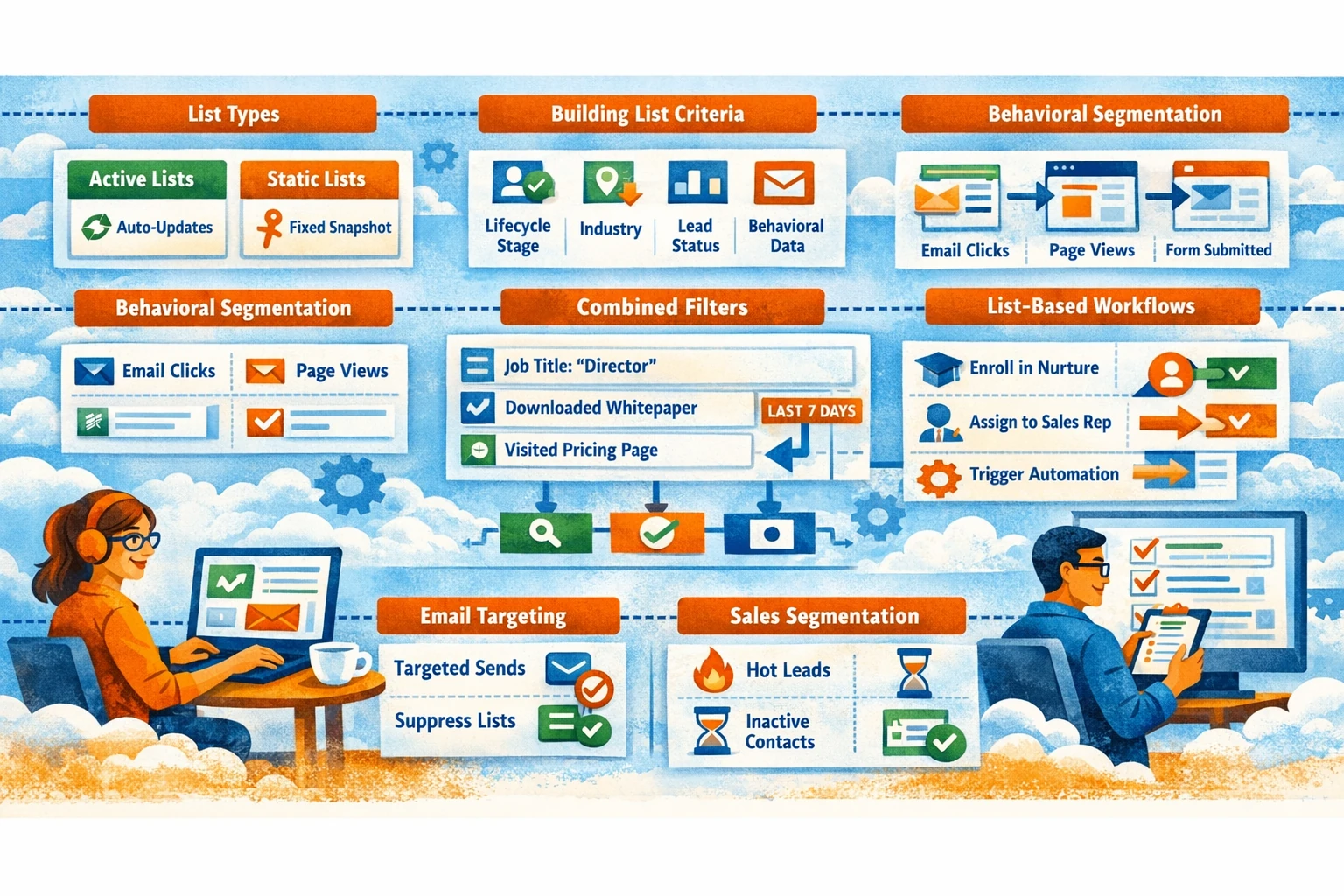
- Active Lists — update automatically when contacts meet or stop meeting criteria. These are used for workflows, nurturing, suppression, and dynamic segmentation.
- Static Lists — fixed snapshots of contacts. Useful for one‑time campaigns, exports, or manual grouping.
Active lists are the backbone of automation. Static lists are best for temporary or historical reference.
Building Lists with Property-Based Criteria
Property-based segmentation is the most common approach. You can filter contacts by lifecycle stage, lead status, industry, persona, or any custom property. For example, you might create a list of MQLs who work in SaaS and have viewed your pricing page. Property-based lists help you target messaging and route leads to the right teams. Keep your properties clean and standardized so segmentation remains accurate.
Behavioral Segmentation with Engagement Data
HubSpot tracks email opens, clicks, page views, form submissions, and ad interactions. Behavioral lists allow you to segment based on real engagement. Examples include contacts who clicked a specific CTA, viewed a product page, or submitted a demo form. Behavioral segmentation improves relevance and timing, especially for nurture workflows and retargeting campaigns. It also helps identify high-intent leads for sales outreach.
Combining Criteria for Precision
The most powerful lists combine demographic and behavioral filters. For example, you might target “Directors in healthcare who downloaded the whitepaper and visited the pricing page in the last 7 days.” Combining criteria increases precision and reduces noise. Use AND/OR logic carefully to avoid overly broad or overly narrow lists. Test your criteria by previewing list members before activating workflows.
Using Lists for Email Targeting
Lists determine who receives your marketing emails. Sending to the right audience improves open rates and reduces spam complaints. Use active lists for recurring newsletters, product updates, or nurture sequences. Use suppression lists to exclude customers, competitors, or unengaged contacts. HubSpot’s email health tools help you identify risky segments and maintain deliverability.
Lists as Workflow Triggers
Lists are one of the most reliable workflow enrollment triggers. When a contact joins a list, they can automatically enter a nurture sequence, receive onboarding content, or be assigned to a sales rep. List-based triggers ensure consistency and reduce manual work. For example, a list of “Contacts with Lead Score > 50” can trigger an MQL-to-SQL handoff workflow.
Segmentation for Sales Teams
Sales teams use lists to prioritize outreach. Common examples include “Hot Leads,” “Uncontacted MQLs,” or “Contacts with No Activity in 30 Days.” Lists help reps focus on high-value opportunities and maintain consistent follow-up. Combine lists with saved views for daily workflow efficiency.
Maintaining Segmentation Hygiene
Segmentation is only as good as your data. Review lists regularly to remove outdated criteria, merge duplicates, and retire unused segments. Standardize naming conventions so your team can find lists easily. Avoid creating too many overlapping lists; instead, build modular, reusable segments that support multiple workflows.