
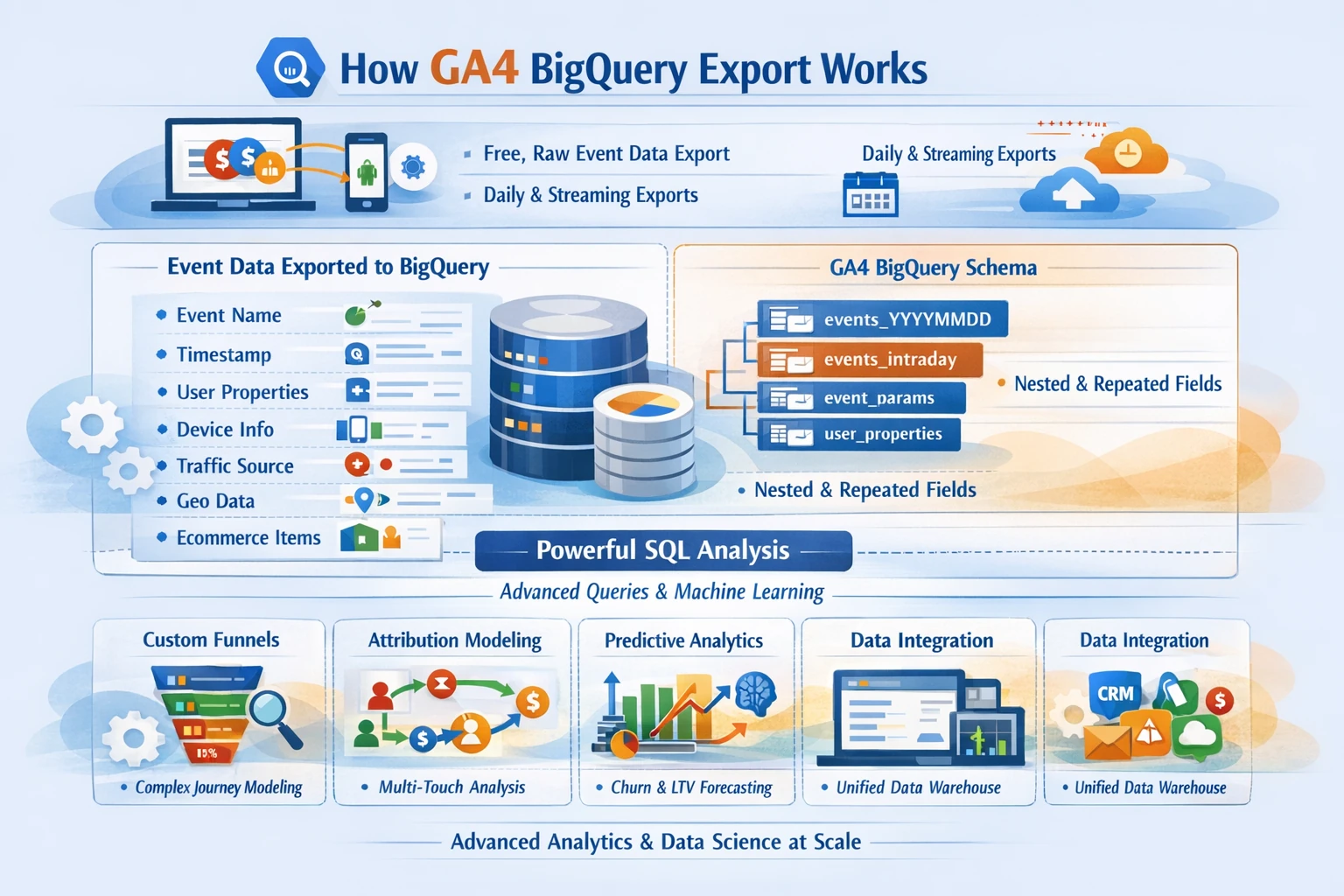
GA4’s native BigQuery export is one of the most transformative capabilities in the entire analytics ecosystem. Unlike Universal Analytics—where BigQuery export was a paid GA360 feature—GA4 provides free, automatic, streaming-level export for all properties. This pillar explains how the export works, how the schema is structured, and how to build advanced models for attribution, LTV, churn, funnels, and revenue forecasting.
How GA4 BigQuery Export Works
GA4 exports raw, event-level data into BigQuery in two formats:
- Daily export — a full table of all events from the previous day.
- Streaming export — near real-time events delivered every few minutes.
Each event includes:
- Event name
- Event timestamp
- Event parameters
- User properties
- Device info
- Traffic source info
- Geo data
- Ecommerce item arrays
- Session identifiers
This gives you a complete, unaggregated dataset for analysis and modeling.
GA4 BigQuery Schema Overview
GA4 uses a nested, repeated schema optimized for flexible querying. Key tables include:
- events_YYYYMMDD — daily event tables
- events_intraday_YYYYMMDD — streaming tables
- event_params — repeated field containing all parameters
- user_properties — repeated field containing user-level attributes
- items — repeated array for ecommerce item data
This structure supports both SQL analytics and machine learning workflows.
Querying GA4 Data in BigQuery
Because GA4 uses nested fields, queries often require:
- UNNEST() for event parameters
- UNNEST() for ecommerce items
- STRUCT and ARRAY handling
- Session reconstruction using ga_session_id
- User stitching using user_pseudo_id or user_id
Common analysis patterns include:
- Funnel reconstruction
- Path analysis
- Cohort analysis
- LTV modeling
- Revenue attribution
- Predictive scoring
BigQuery enables analyses that GA4’s UI cannot perform.
Building Custom Funnels in SQL
GA4’s UI funnels are powerful, but SQL funnels allow:
- Multi-branch funnels
- Cross-domain funnels
- Multi-session funnels
- Parameter-level filtering
- Product-specific funnels
- App + web unified funnels
A typical SQL funnel uses window functions, event timestamps, and session identifiers to reconstruct user journeys.
Attribution Modeling in BigQuery
BigQuery allows you to build custom attribution models beyond GA4’s built-in options:
- First-touch
- Last-touch
- Linear
- Time-decay
- Position-based
- Algorithmic attribution
- Markov chain attribution
This is essential for advanced media mix modeling and cross-channel optimization.
Predictive Modeling & Machine Learning
BigQuery ML enables you to train models directly on GA4 data:
- Churn prediction
- Purchase probability
- LTV forecasting
- Lead scoring
- Product recommendation models
- Propensity modeling
Because GA4 exports raw events, you can build models that reflect real user behavior.
Joining GA4 Data With External Sources
BigQuery allows you to combine GA4 data with:
- CRM data
- Google Ads data
- Meta Ads data
- Email platform data
- Subscription billing data
- Product databases
- Offline conversions
This creates a unified analytics warehouse for full customer lifecycle analysis.
Data Governance & Cost Management
BigQuery is cost-efficient when structured correctly. Best practices include:
- Partitioning by date
- Clustering by event name or user ID
- Using materialized views
- Avoiding SELECT *
- Using scheduled queries for aggregation
- Archiving old data to cheaper storage
A clean warehouse architecture prevents runaway costs.
Why This Pillar Matters
BigQuery unlocks:
- Full-funnel visibility
- Accurate attribution
- Predictive analytics
- LTV and churn modeling
- Cross-platform stitching
- Custom dashboards
- Enterprise-grade reporting
GA4’s UI is powerful, but BigQuery is where true analytics maturity happens.