
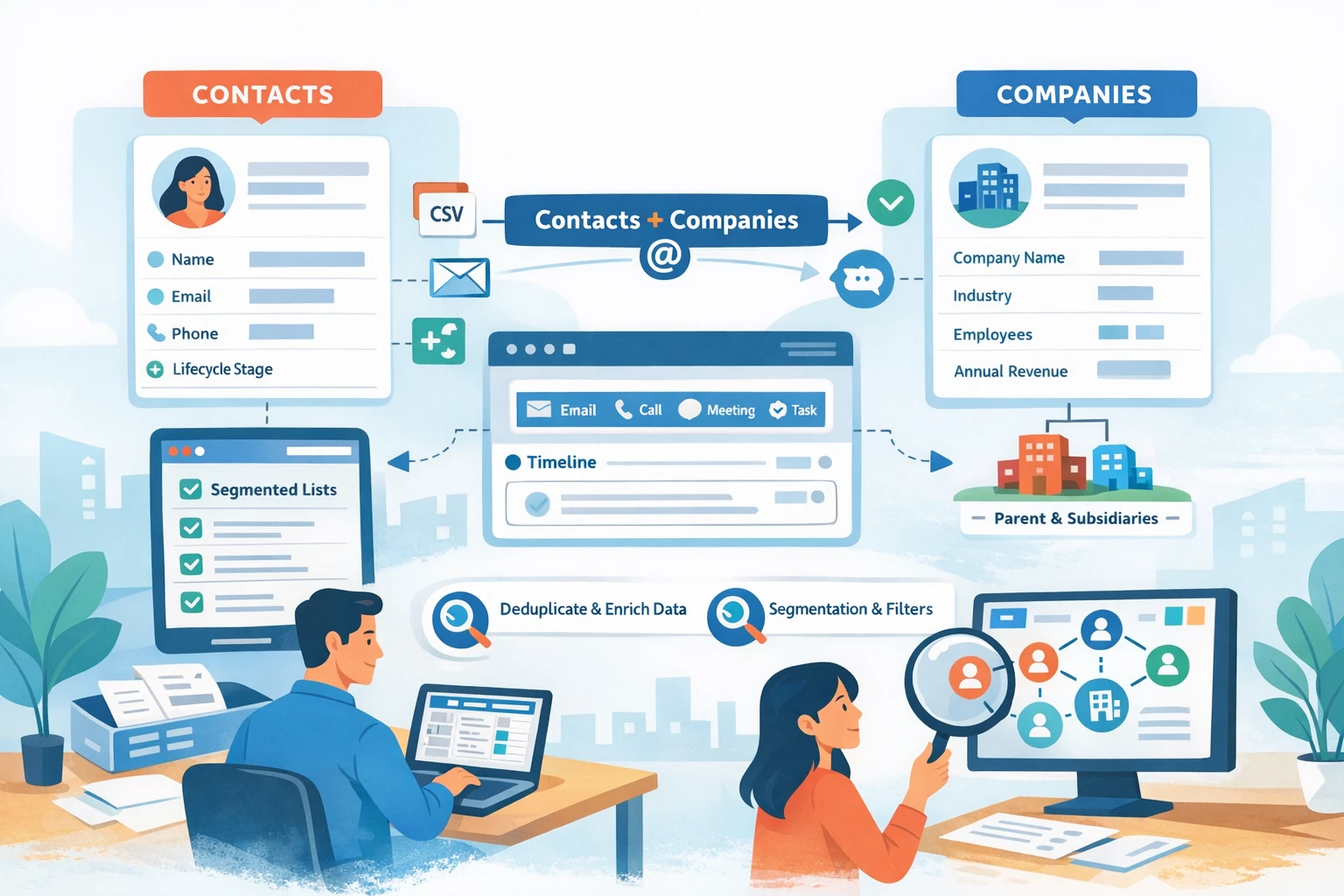
Managing Contacts and Companies is the core of HubSpot CRM. Every email, deal, workflow, and report depends on clean, structured, and enriched records. This pillar walks through how to create, organize, segment, and maintain Contacts and Companies so your CRM stays accurate and scalable as your business grows.
Understanding Contacts vs. Companies
HubSpot automatically associates Contacts and Companies using email domain matching. Contacts represent individual people; Companies represent the organizations they belong to. Keeping both record types clean ensures accurate reporting, lifecycle tracking, and deal attribution. HubSpot’s auto-association saves time, but you can override or customize associations when needed.
Creating and Importing Contacts
Contacts can be added manually, captured through forms, synced from integrations, or imported via CSV. Manual creation is useful for one-off entries, but most businesses rely on imports or automation. Before importing, clean your spreadsheet by standardizing formatting, removing duplicates, and mapping columns to HubSpot properties. Use the import wizard to map fields correctly and review the preview to avoid mismatches. After import, run a deduplication check using email-based matching.
Customizing Contact Properties
HubSpot includes default properties such as First Name, Email, Lifecycle Stage, Lead Status, and Original Source. You can add custom properties to capture qualification criteria, product interests, or segmentation tags. Keep naming conventions consistent and avoid creating redundant fields. Organize properties into groups so your team can find them easily when viewing or editing records.
Managing Companies
Companies are created automatically when contacts share the same domain, but you can also create them manually or import them. Company records include properties like Industry, Number of Employees, Annual Revenue, and Lifecycle Stage. Customize these properties to match your sales process. If you sell to multiple divisions or subsidiaries, use Parent–Child Company relationships to maintain hierarchy and reporting accuracy.
Associations and Activities
HubSpot automatically logs emails, calls, meetings, and form submissions on the contact timeline. You can associate activities with deals, tickets, or companies to maintain context. Review associations regularly to ensure accuracy, especially when multiple deals or teams are involved. Use filters to view only relevant activity types such as emails, notes, or tasks.
Segmentation with Lists
Lists allow you to segment contacts based on properties, behavior, or lifecycle stage. Active lists update automatically when criteria are met, while static lists remain fixed. Use active lists for lead nurturing, email automation, and reporting. Common list examples include MQLs, recent form submissions, inactive contacts, or contacts with specific product interests. Lists are essential for targeted communication and workflow triggers.