
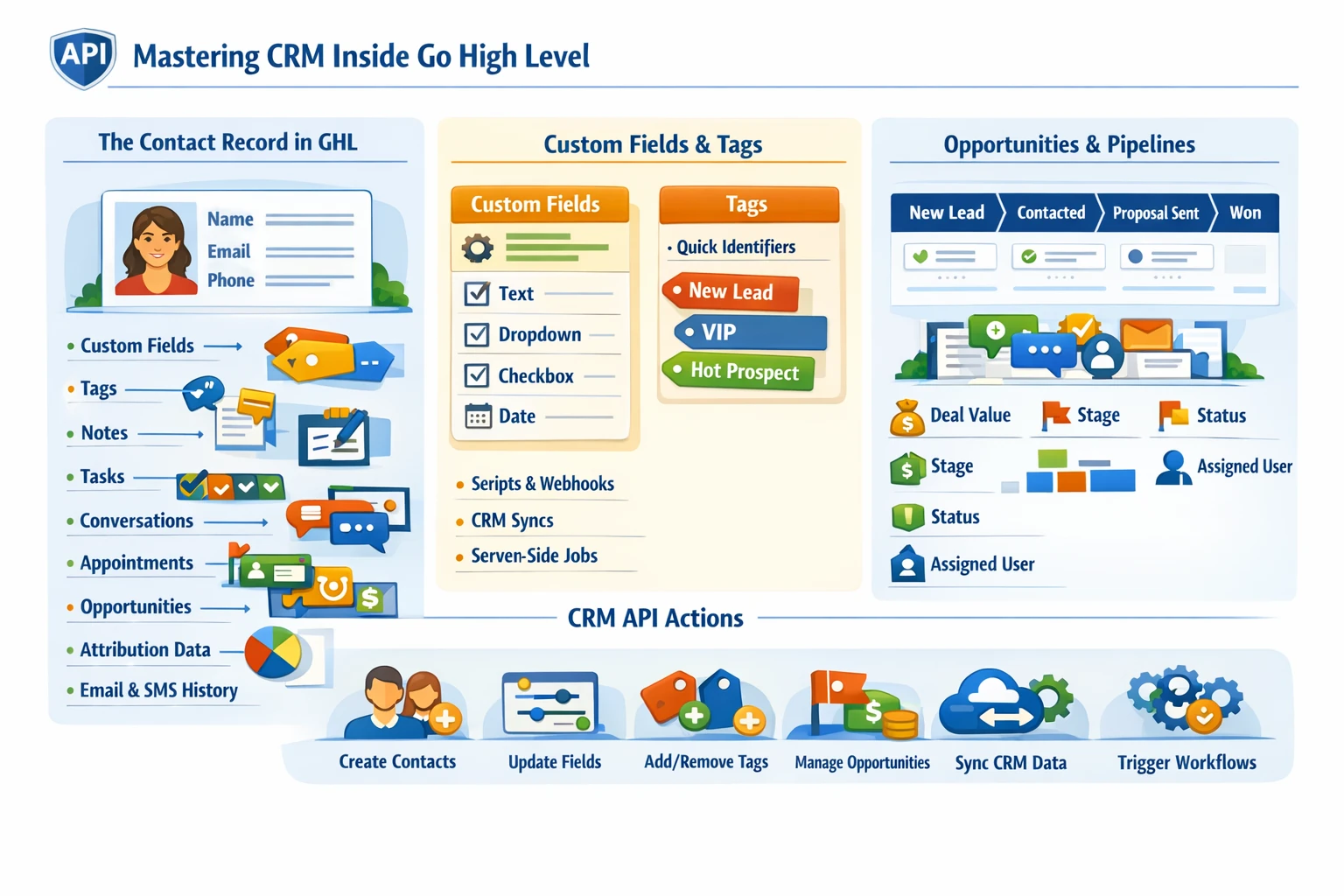
Go High Level’s CRM is the operational core of the entire platform. Every automation, pipeline movement, workflow trigger, appointment, and message ultimately depends on contact records and the data structure behind them. A scalable GHL system requires a clean, intentional CRM architecture—especially if you plan to integrate through the API, sync external systems, or run multi‑location SaaS operations.
How Contacts Function Inside GHL
Contacts are the single source of truth for all customer data. Each contact record contains:
- Standard fields (name, email, phone, address)
- Custom fields
- Tags
- Notes
- Tasks
- Conversations
- Opportunities
- Appointments
- Attribution data
- Workflow history
- Email/SMS engagement
- Custom activities
Because every module in GHL references the contact object, designing your CRM structure correctly prevents data conflicts, duplicate records, and automation errors.
Custom Fields as the Backbone of Data Architecture
Custom fields allow you to store structured data unique to your business or client. They support:
- Lead qualification
- Form submissions
- Survey responses
- API data syncs
- Workflow logic
- Conditional messaging
- Personalization tokens
Types of custom fields include:
- Text
- Number
- Dropdown
- Radio
- Checkbox
- Date
- Monetary
- Multi‑select
A well‑designed custom field schema ensures your workflows remain clean, scalable, and easy to debug.
Tags vs. Custom Fields
Tags and custom fields serve different purposes:
- Tags are binary indicators (“has this tag or not”).
- Custom fields store structured data (“what is the value?”).
Use tags for:
- Lifecycle markers
- Triggering workflows
- Temporary flags
- Behavioral labels
Use custom fields for:
- Form data
- Lead scoring
- Qualification details
- CRM integrations
- Long‑term attributes
Mixing these incorrectly leads to bloated CRMs and unpredictable automations.
Opportunities & Pipelines
Opportunities represent deals or leads moving through a pipeline. Each opportunity is tied to a contact and includes:
- Pipeline
- Stage
- Value
- Status (open, won, lost, abandoned)
- Source
- Assigned user
- Notes
Pipelines are essential for:
- Sales tracking
- Lead routing
- Workflow triggers
- Reporting
- Attribution
A clean pipeline structure prevents automation loops and ensures accurate reporting.
How the API Interacts With Contacts
The GHL API allows you to:
- Create, update, or delete contacts
- Update custom fields
- Add or remove tags
- Create opportunities
- Move opportunities between stages
- Add notes or tasks
- Sync external CRM data
- Trigger workflows via events
This makes GHL a powerful hub for multi‑system orchestration.
Key API Endpoints for Contacts
- POST /contacts/ — create a contact
- PUT /contacts/{id} — update a contact
- POST /contacts/tags — add tags
- POST /contacts/custom-fields — update custom fields
- POST /opportunities/ — create opportunities
- PUT /opportunities/{id} — update opportunity stage
A consistent data model ensures these API calls behave predictably.
Avoiding Duplicates & Data Conflicts
Duplicates are one of the biggest problems in GHL. Prevent them by:
- Using email or phone as unique identifiers
- Normalizing phone numbers (E.164 format)
- Using API upsert logic instead of blind creation
- Running dedupe workflows
- Avoiding unnecessary form fields
- Using one source of truth for contact creation
Clean data is essential for reliable automation.
Why CRM Architecture Matters
A strong CRM foundation ensures:
- Predictable workflow behavior
- Accurate reporting
- Clean API integrations
- Scalable SaaS deployments
- Faster troubleshooting
- Higher lead quality
- Better sales outcomes
Everything in GHL depends on the contact object—so this pillar is one of the most important in the entire system.